Aimerce Blogs
How To Track SKU Purchase Conversion on Meta Ads Manager
14 November 2024
How To Track SKU Purchase Conversion on Meta Ads Manager
Meta Ads

See which SKU is driving more purchases, and through which ad creative. You can now enable a specific SKU in the Product ID field of your Meta Ads Manager and directly track its ad performance.
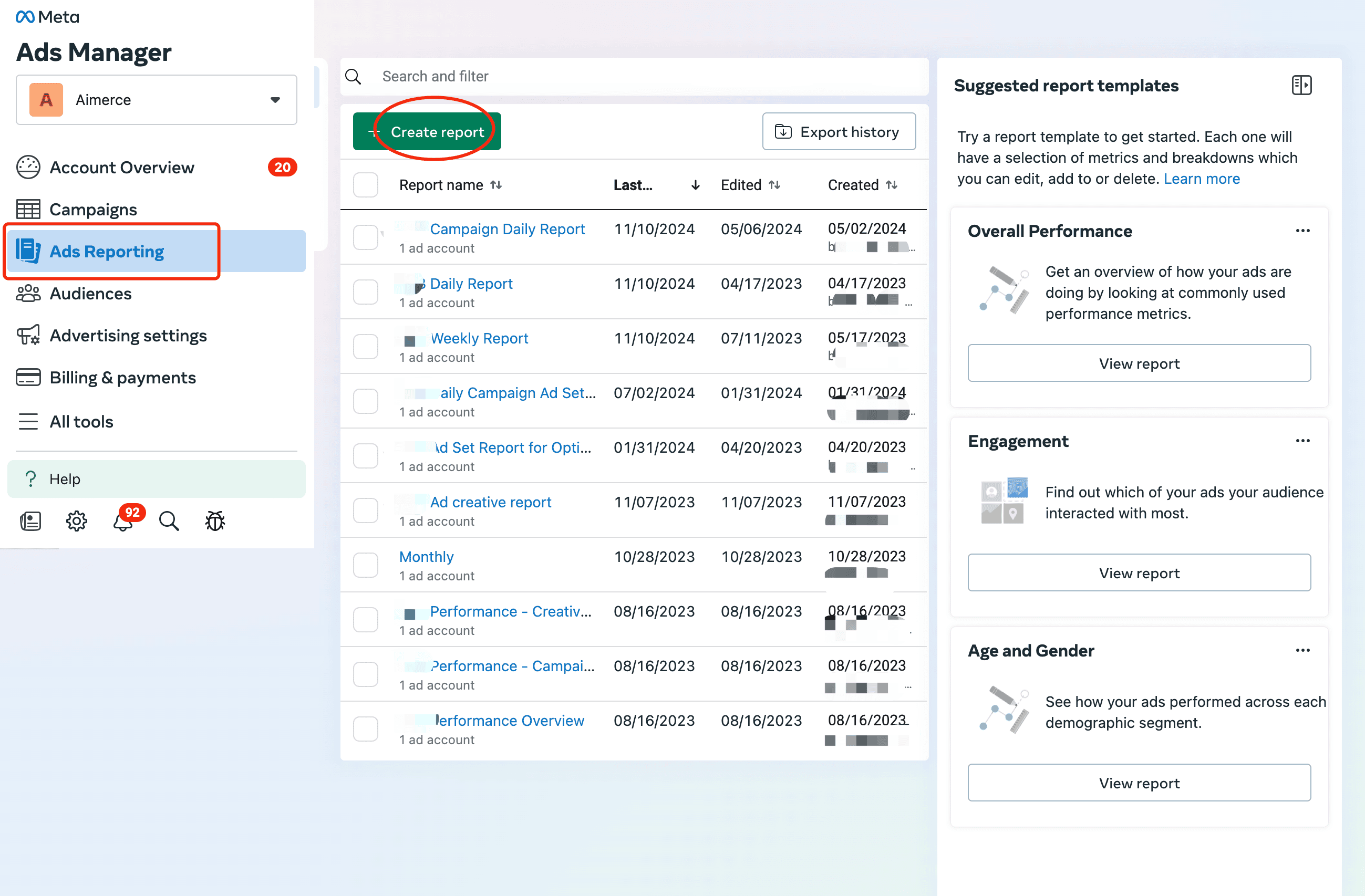
1. Create a report in Ads Reporting
You may also select an existing report.
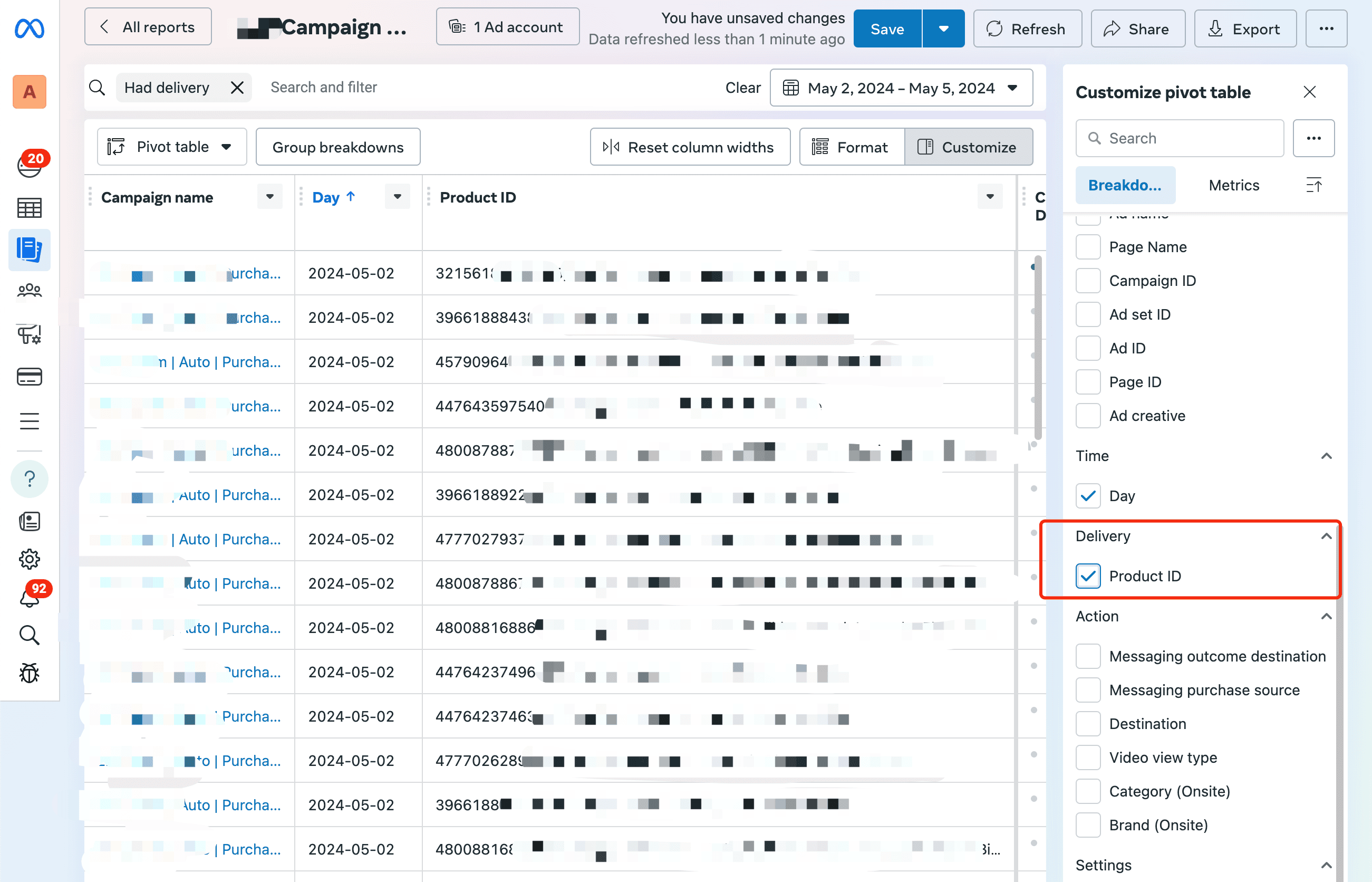
2. Select Product ID
In the "Customize pivot table" menu, select Product ID under Delivery.
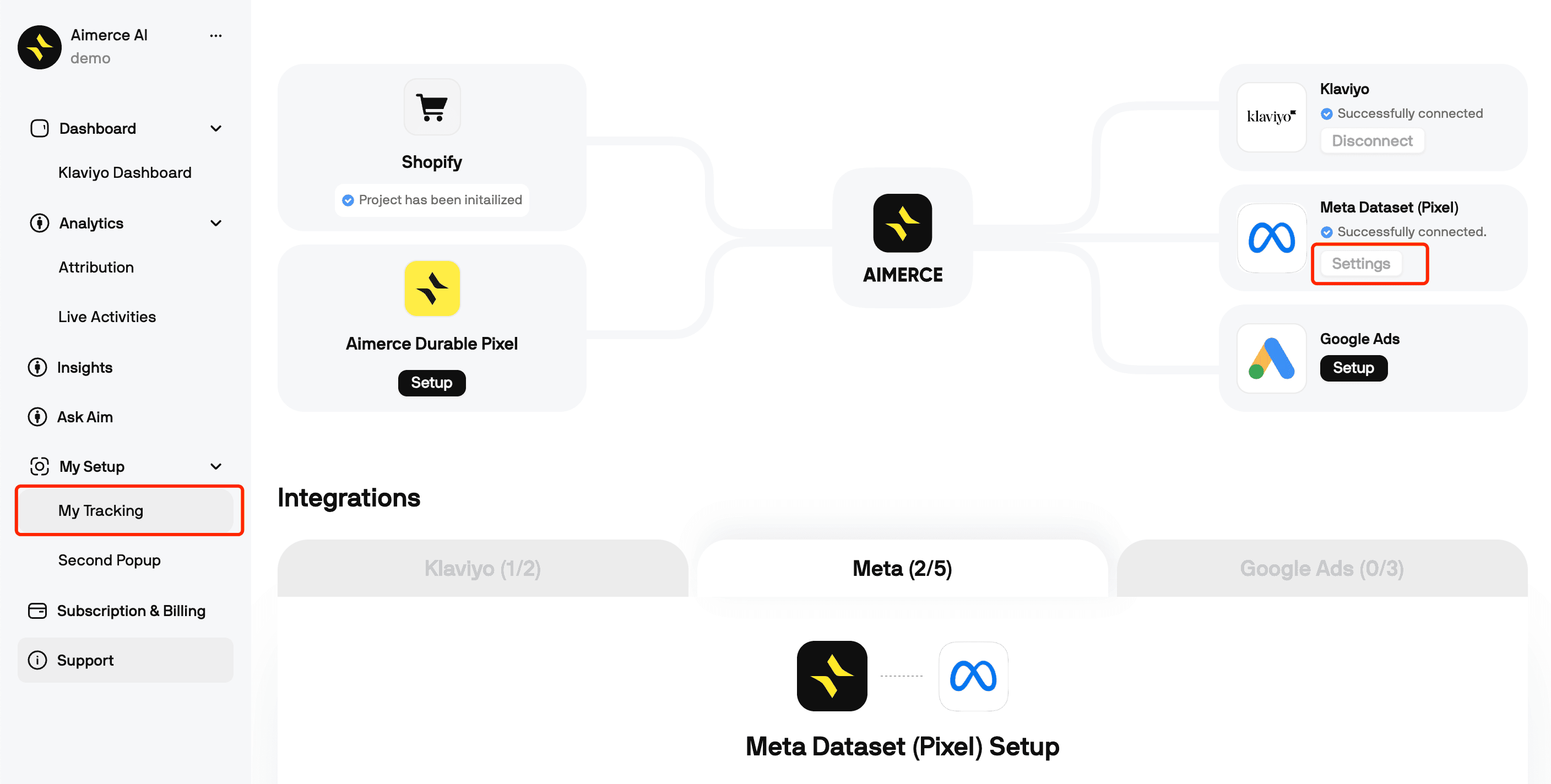
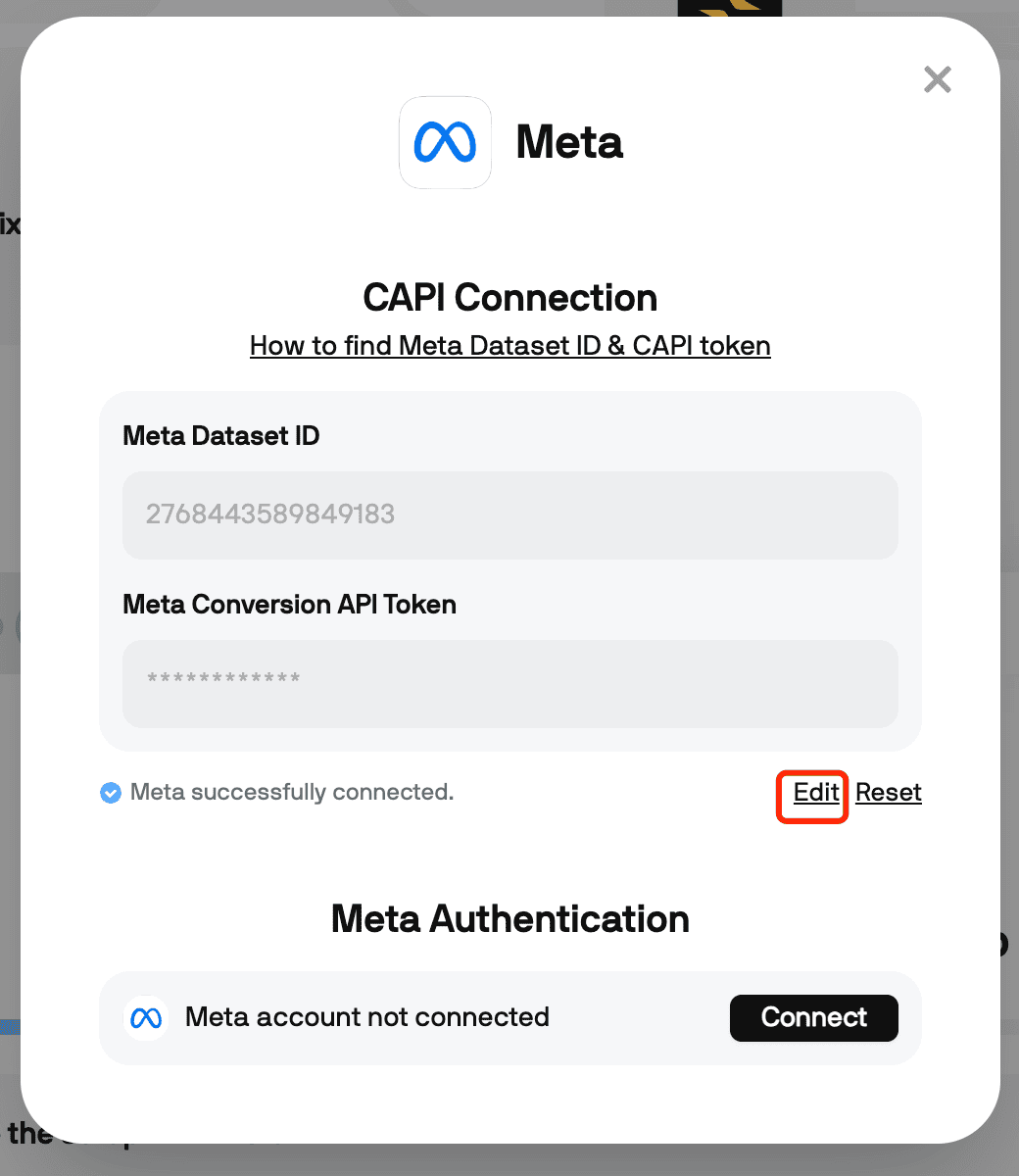
3. In your Aimerce dashboard, turn on "enable SKU as Product ID" settings
Go to the "My Tracking" page on your Aimerce dashboard, and click on the Settings button under Meta Dataset (Pixel).
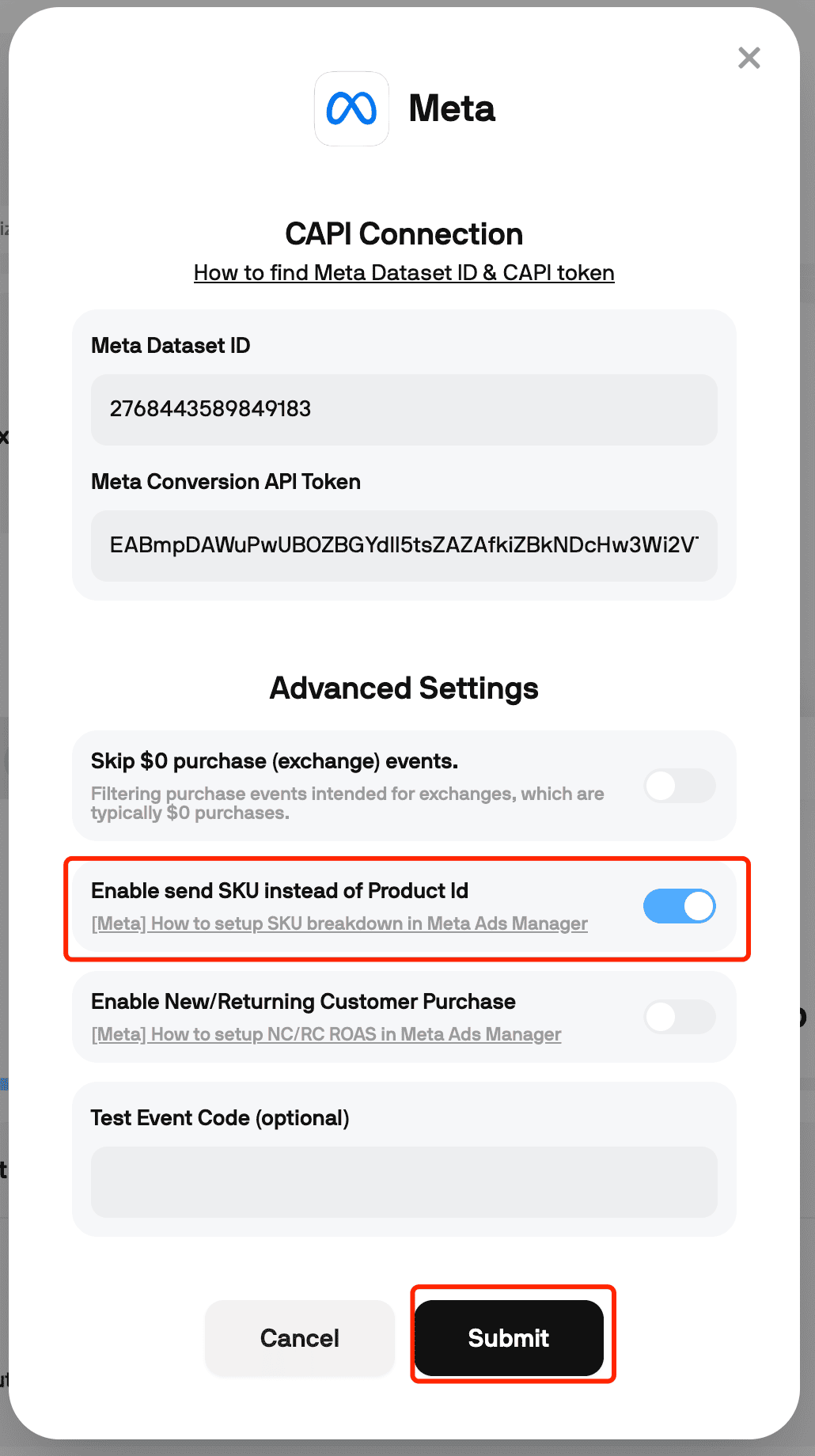
Once your CAPI Connection pops up, click on "Edit", and turn on the "Enable send SKU instead of Product ID" toggle.
Index
Aimerce Pixel
Server-side tracking and accurate first-party data to increase marketing performance.
5/5
Shopify
5/5
G2
More Articles
eCommerce Marketing
Brand Voice: Ushering in a New Era of Retention Marketing
Brand Voice inside the Aimerce Agents Chrome extension pulls your brand’s tone, design, and offers into Klaviyo so every campaign starts fast, personalized, and true to your identity.
3 September 2025
eCommerce Events
Top In‑Person E‑Commerce & Retail Events in Florida in 2026
Florida has become an exciting destination for e‑commerce gatherings, blending major business conferences with unique networking opportunities.
Here is your Florida e‑commerce events calendar for 2026.
23 December 2025
Why Aimerce, Email Marketing
A new foundation for email marketing starts with your pixel
If Meta is optimizing on broken Shopify data, your flows don’t matter. Fix the pixel first, then let Aimerce Agents recover the revenue Klaviyo leaves behind.
28 August 2025
Sign up for a 30-day free trial
Sign Up Using Your Shopify Account Email
*Money back guaranteed.
It pays for itself or you don’t pay anything.