Aimerce Blogs
TikTok Ads Tracking Just Got Smarter With Aimerce
22 April 2025
TikTok Ads Tracking Just Got Smarter With Aimerce
Why Aimerce
TikTok is one of the fastest growing paid channels for Shopify brands but most marketers are running blind without proper tracking. That ends today! 🎉
Core Benefits
- Connect your TikTok Pixel and Access Token in minutes
- Track events server side using Aimerce’s Durable Pixel
- Optimize campaigns with stronger signals and fewer data drops
- Manage Meta Google and TikTok tracking in one dashboard
📌 Important note
This integration is for TikTok Ads not TikTok Shop.
How to connect your TikTok Pixel to Aimerce
Step 1: Navigate to TikTok Setup in Aimerce
In your Aimerce dashboard go to My Setup → TikTok Setup
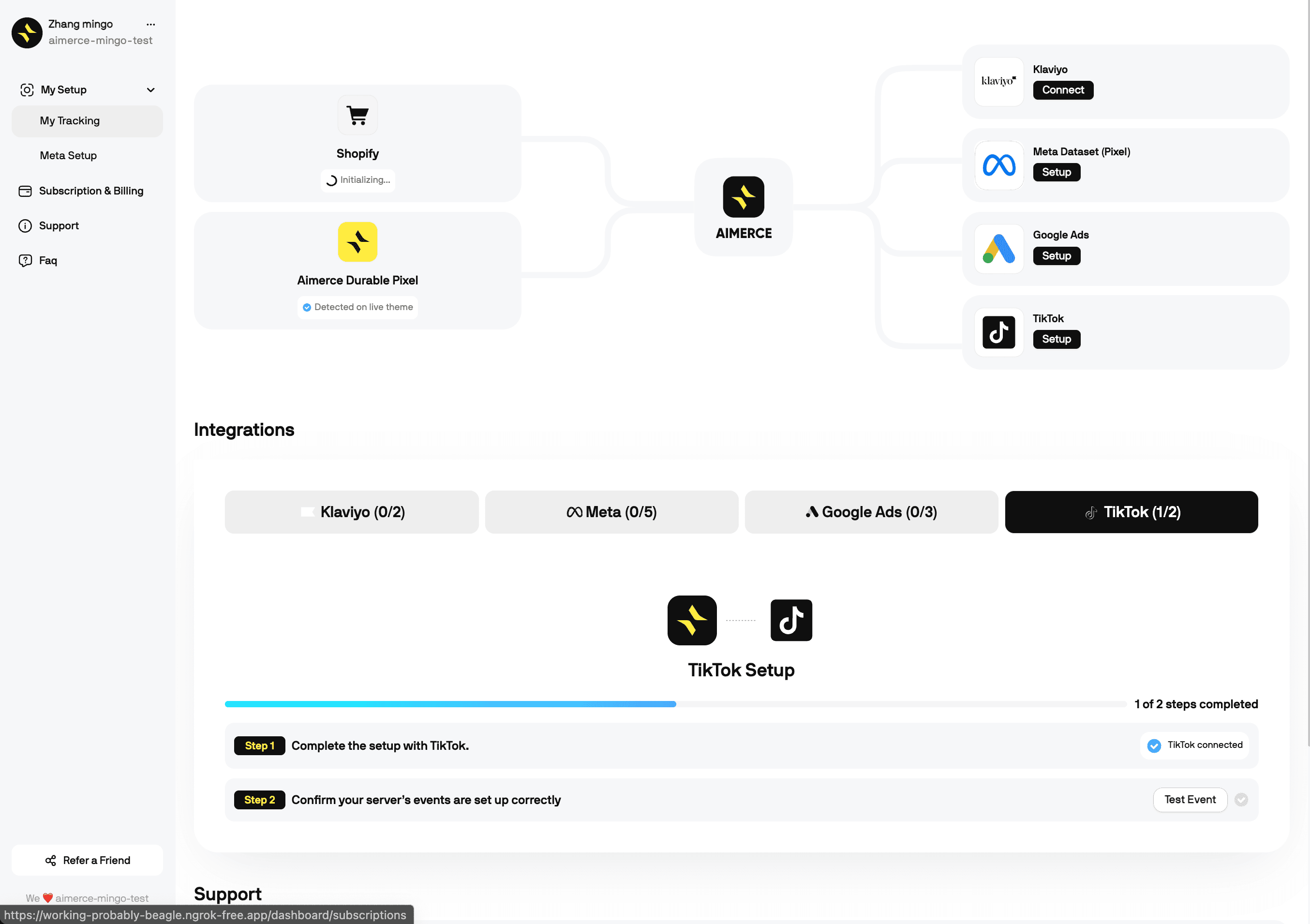
Step 2: Get Your TikTok Pixel ID
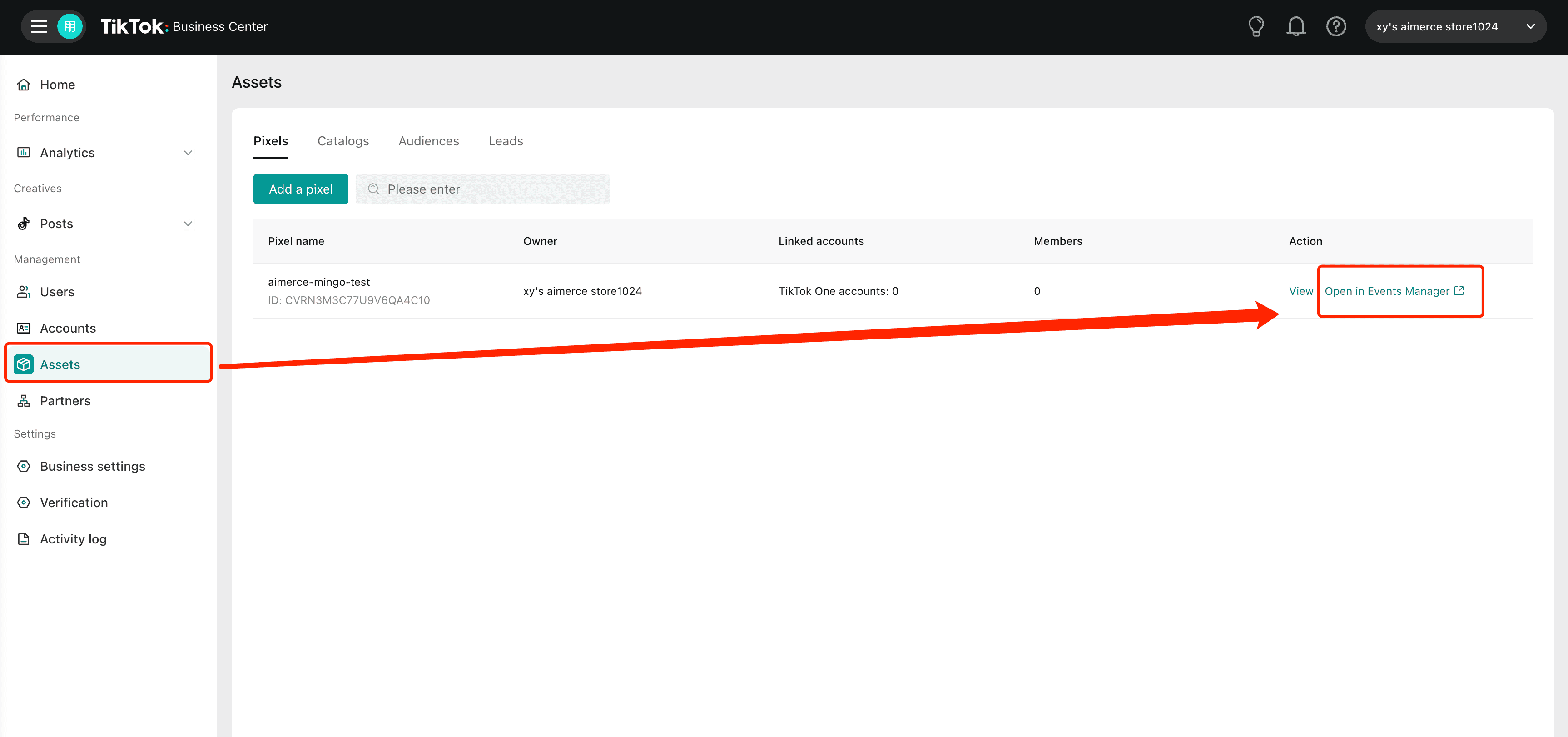
- Log in to TikTok Business Center
- Go to Assets → Pixels
- Click Open in Events Manager
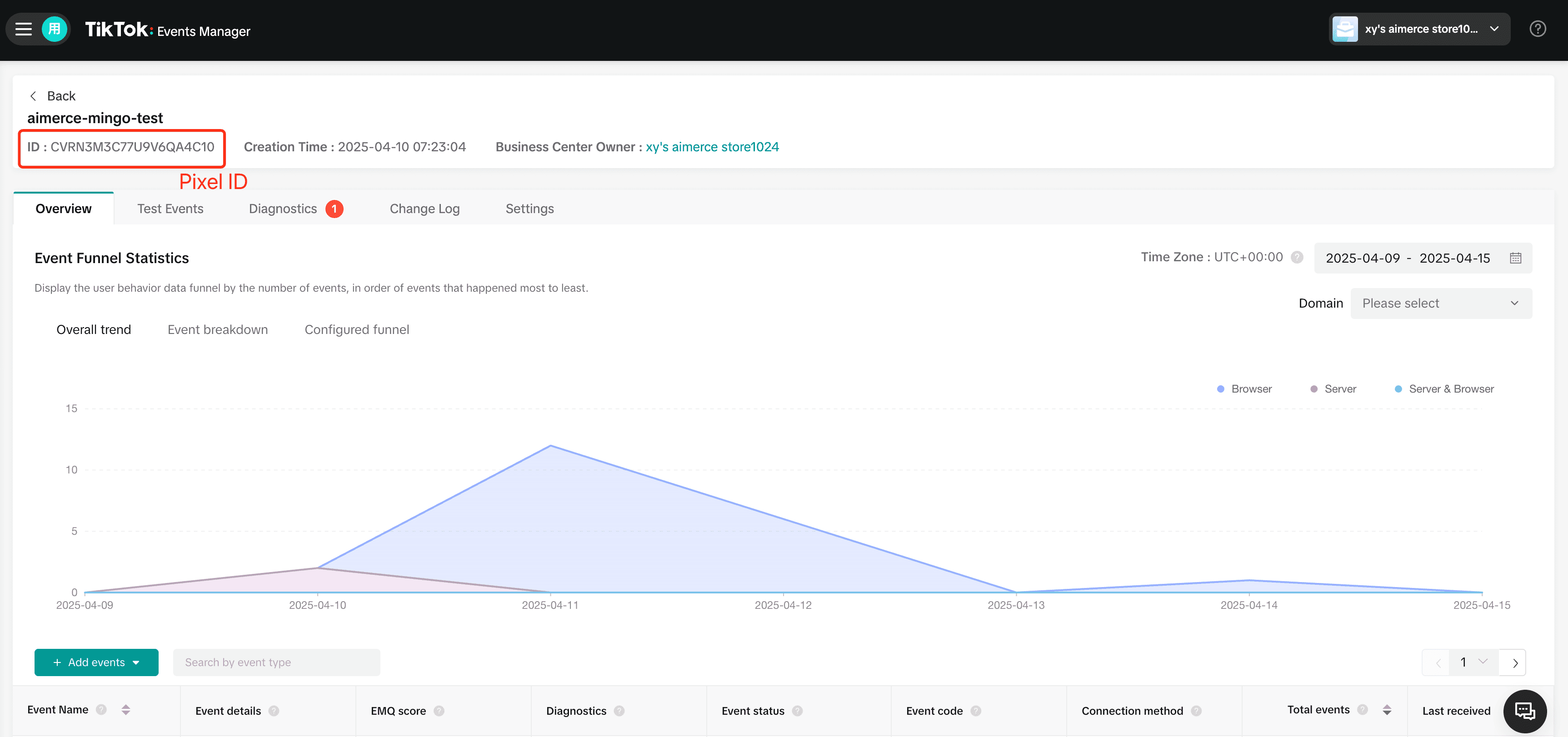
- Copy your Pixel ID from the top left of the Events Manager.
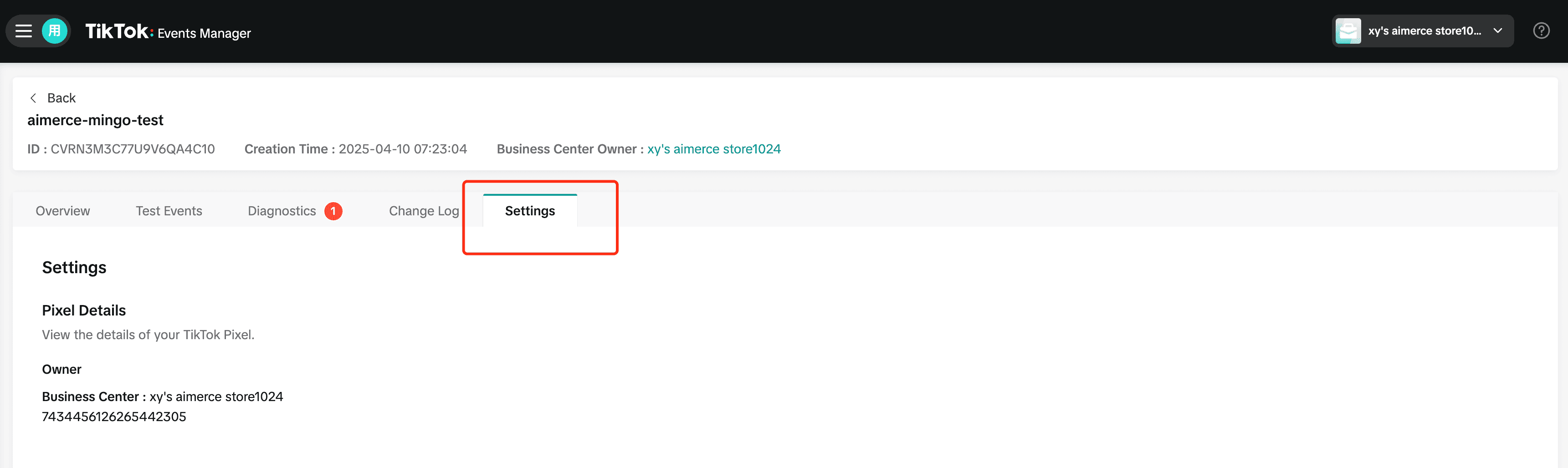
- Go to the Settings tab to view your Pixel details.
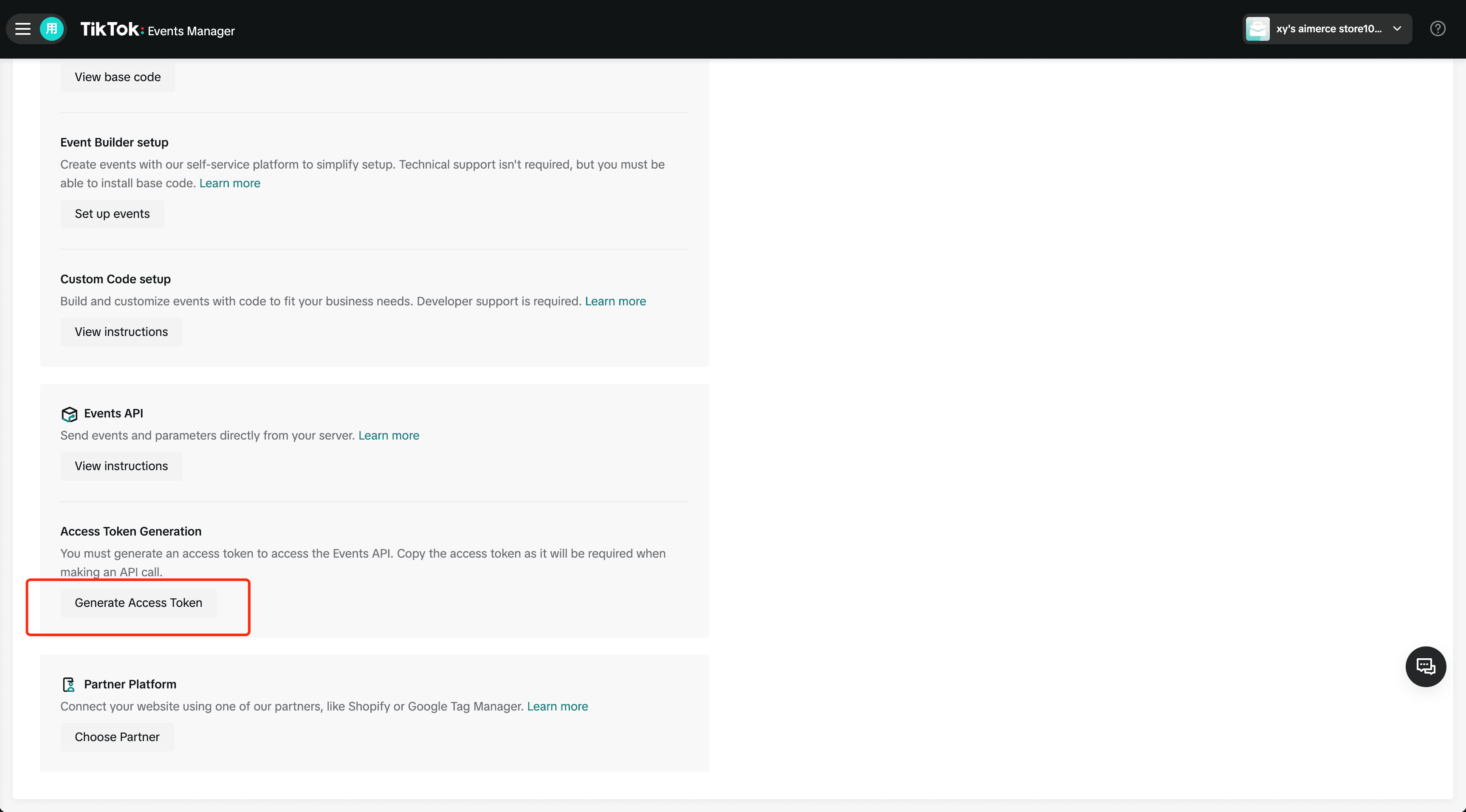
- Scroll down to Access Token Generation and click Generate Access Token to connect your server.
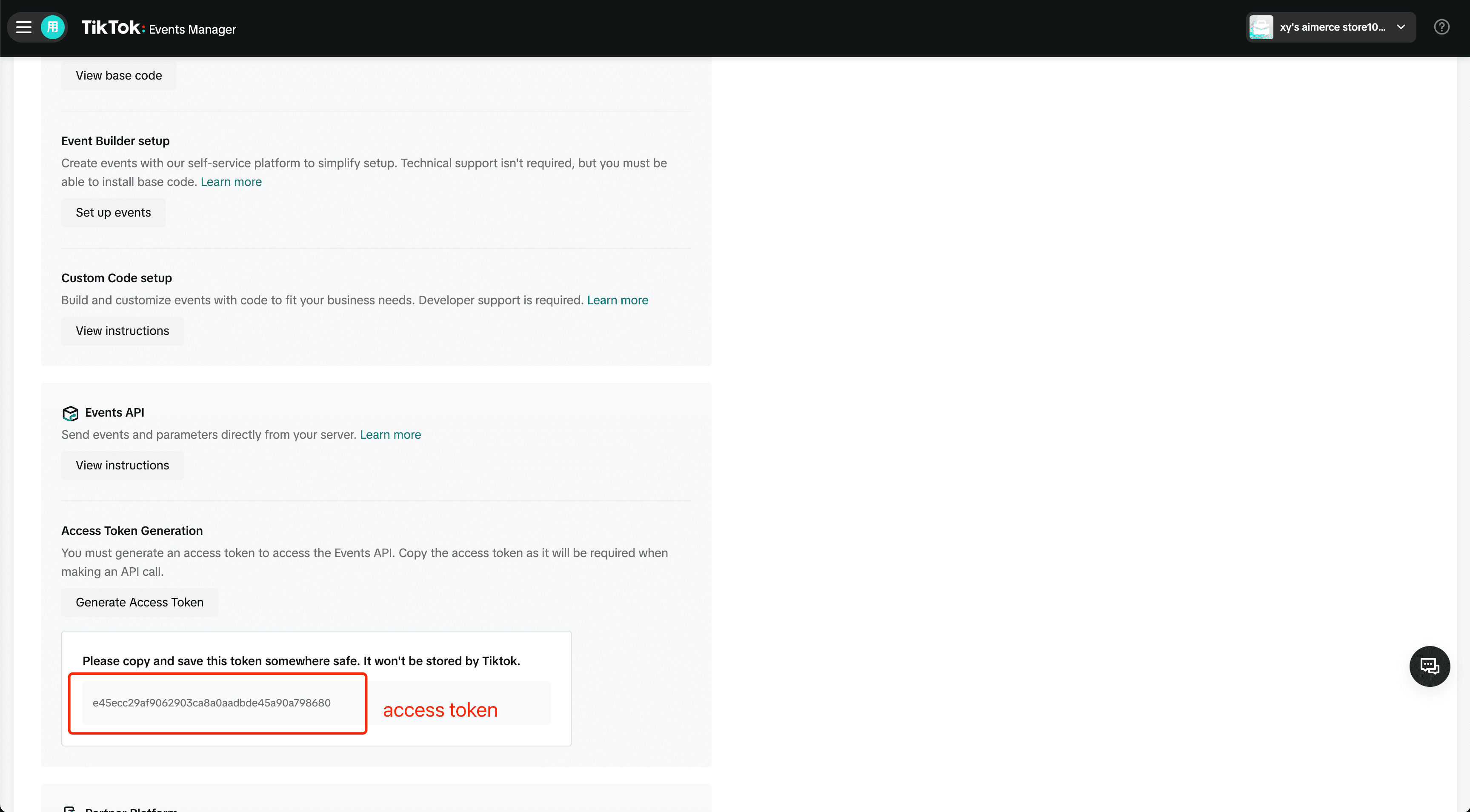
- Scroll down to Access Token Generation and click Generate Access Token. Once it appears, copy and save it securely. TikTok won’t store it.
Step 3: Send a Test Event and Go Live
Verify the connection using the Test Event option. Once verified TikTok will start receiving server side events instantly.
Voila! You’re good to go!
If you’re scaling on TikTok but your data isn’t keeping up now’s the time to clean it up. Setup is live and takes less than five minutes!
Index
Aimerce Pixel
Server-side tracking and accurate first-party data to increase marketing performance.
5/5
Shopify
5/5
G2
More Articles
eCommerce Events
Top In‑Person E‑Commerce & Retail Events in Canada
Canada’s e‑commerce and retail landscape is thriving, with major cities like Toronto, Vancouver, and Montreal hosting a variety of in‑person conferences and expos. These events are perfect for DTC founders, CPG brand leaders, Shopify entrepreneurs, and retail professionals seeking insights, connections, and growth opportunities
23 December 2025
BFCM, Email Marketing
BFCM Klaviyo Practical Hacks
Black Friday is officially 1 week out and today you'll learn some of my most practical hacks from working on more than 500 projects since 2019.
18 November 2025
eCommerce Events
Key In-Person E-Commerce and Retail Events Happening in the USA in Q1 2026
Here’s your must‑attend Q1 2026 calendar of in‑person e‑commerce and retail events in the USA
24 December 2025
Sign up for a 30-day free trial
Sign Up Using Your Shopify Account Email
*Money back guaranteed.
It pays for itself or you don’t pay anything.