First, a few quick self-audits
-
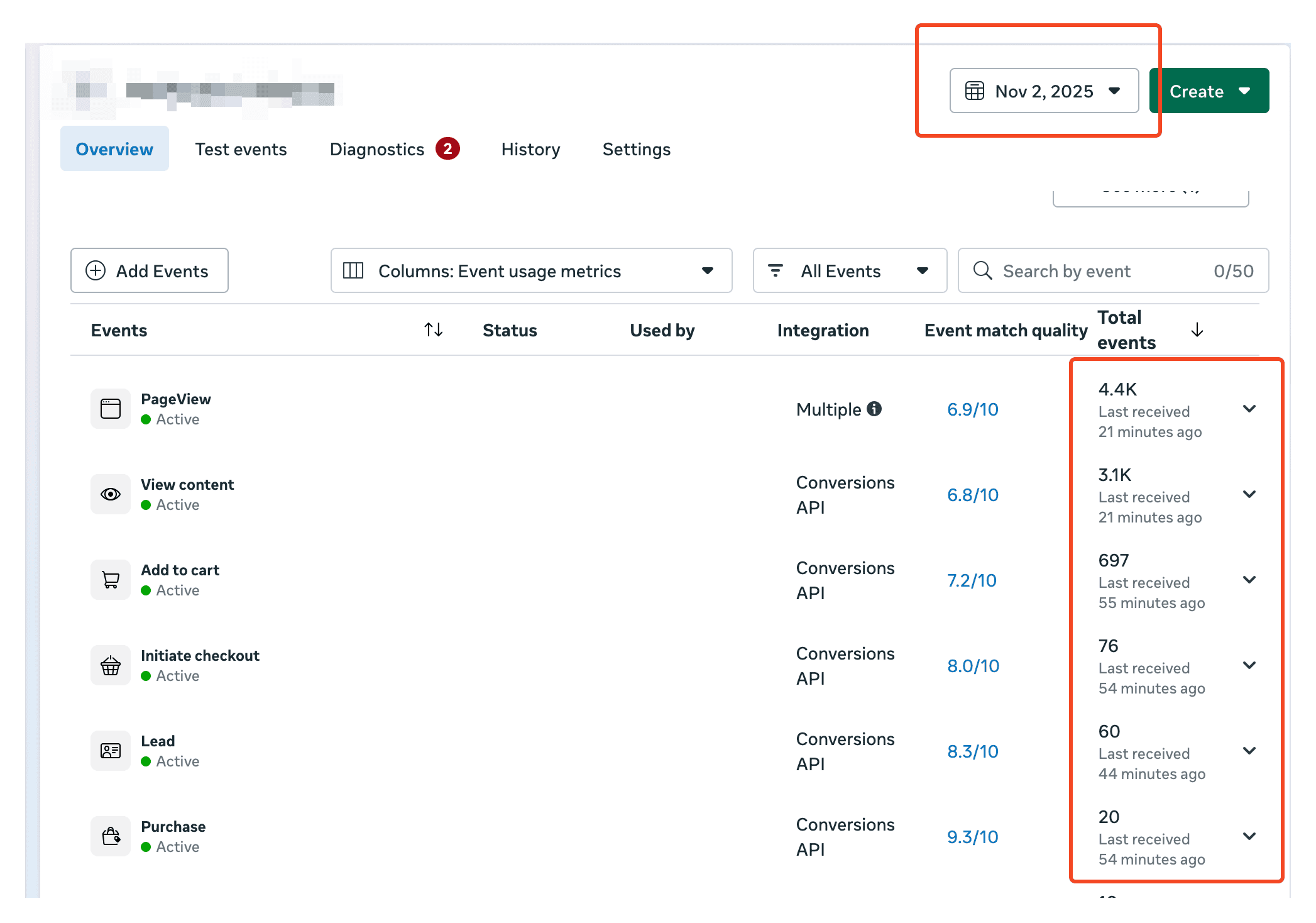
Is everything tracking as of today?
-
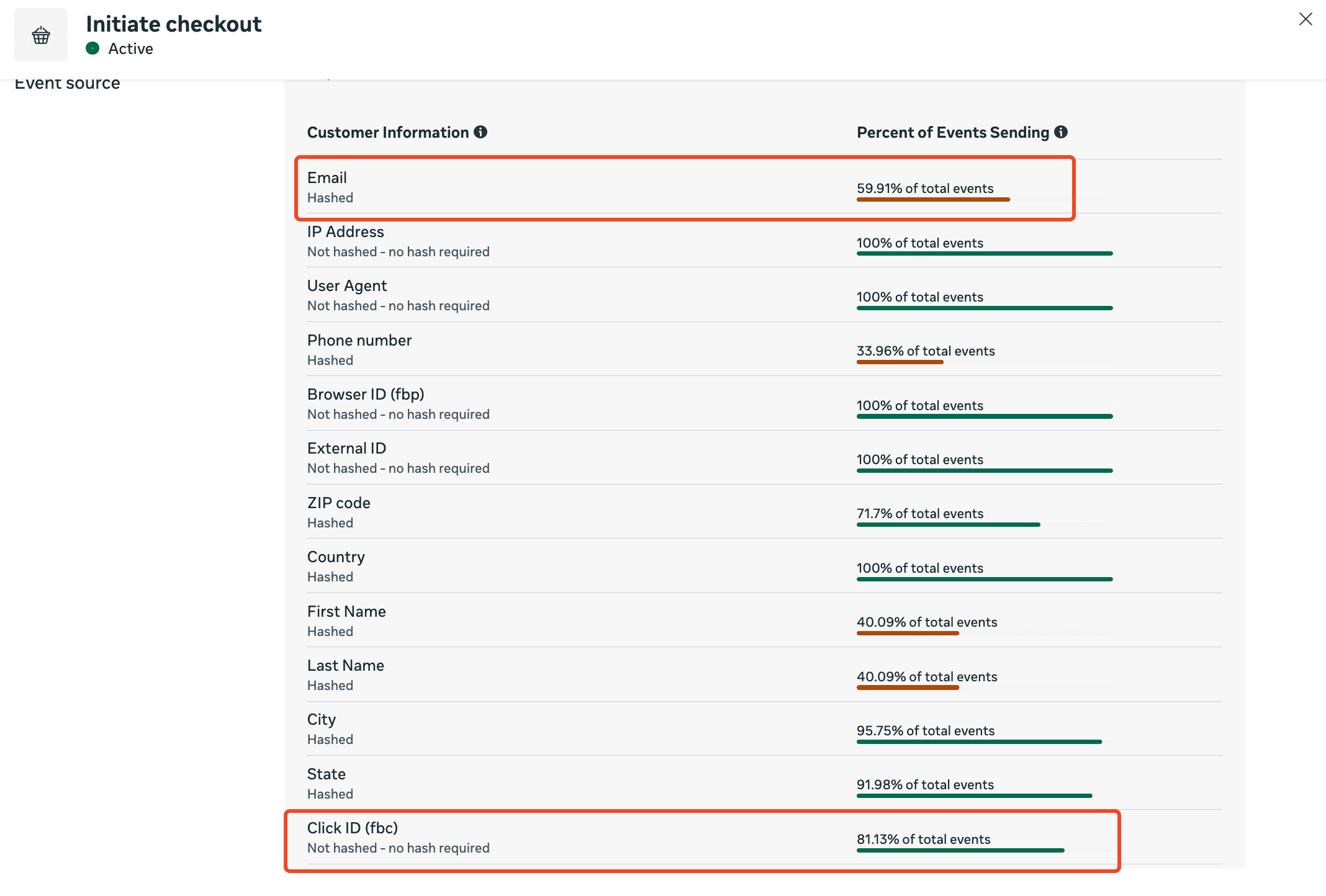
Are all the customer information being sent in every single event? especially email and fbc.
-
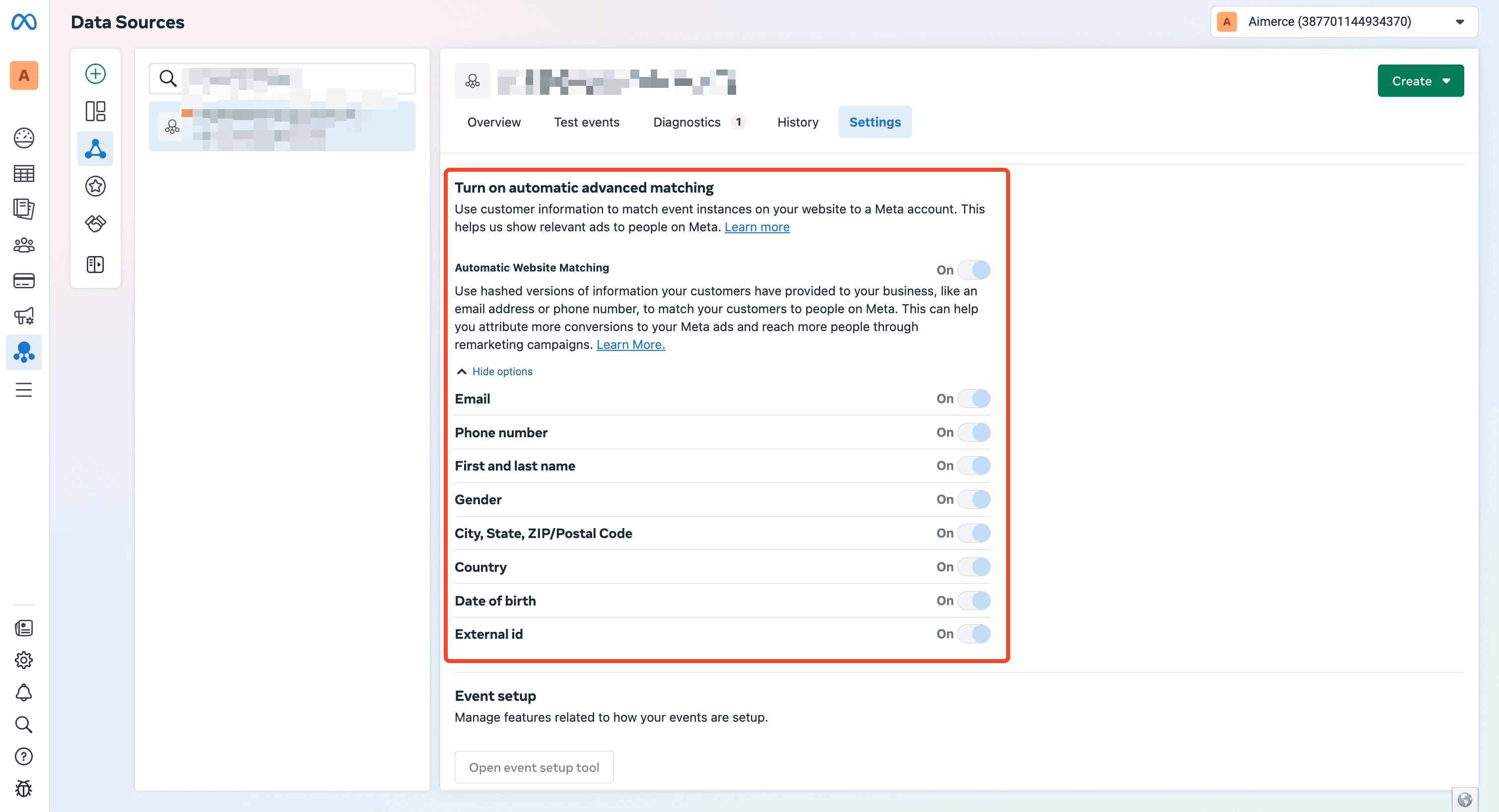
Did you turn on Automatic Advanced Matching?
How do I know “My Meta ads is over attributing!”?
We’ve worked with a lot of different type of brands now. One of the top complaints we receive it that “my Meta ads is over attributing!”.
How can you diagnose?
Is your tracking broken? Or are you just looking at attribution wrong?
Two very different problems. And most people mix them up.
First, check if your tracking is actually working.
Tracking is just raw data. Someone visits, adds to cart, makes a purchase — that gets logged and sent to Events Manager.
If those logs are wrong, every decision you make on top of it is wrong too.
Here’s the fastest way to check:
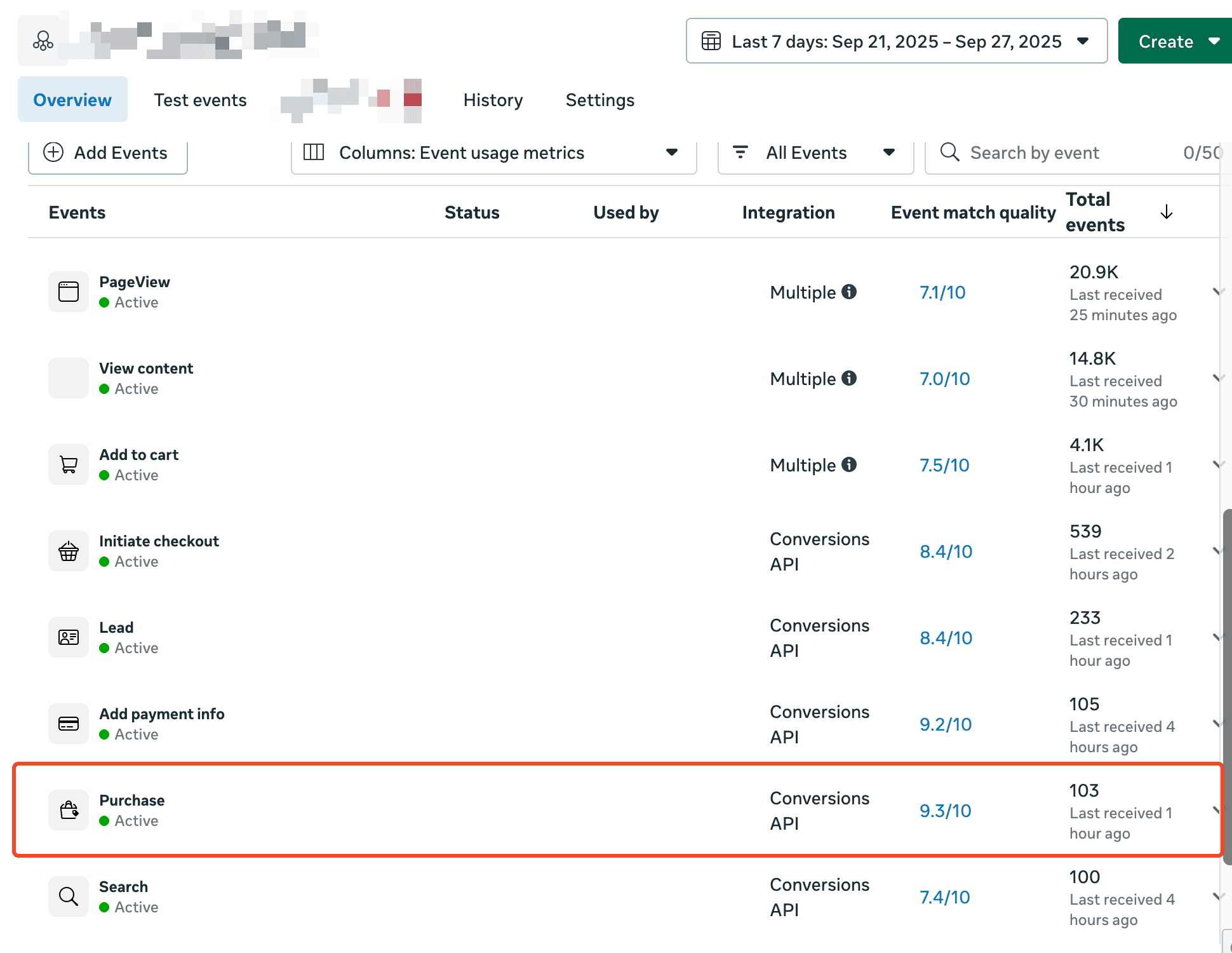
- Go to Meta Events Manager. Look at Purchase events from the last 7 days (or 1).
- Now go to Shopify and check the actual order count.
- The numbers should be very close. Within 5 is fine. More than that? Something’s off.
p.s. If you are not using Aimerce, other tools may send data from both browser and server. And browser is strictly fewer than server, so you may see the number slightly fewer than 2x purchases. That’s also normal.
Second, check your attribution models.
Once tracking is confirmed, the next 50% of confusion usually comes from attribution, and the fact that most platforms use different rules.
- Meta Ads Manager = default: 7-day click, 1-day view
- Attribution tools = multi-touch, last click or first click, depending on the model you choose.
You’re not looking at the same thing, so don’t expect the numbers to line up.
Third, check your conversion value attributed based on different attribution models
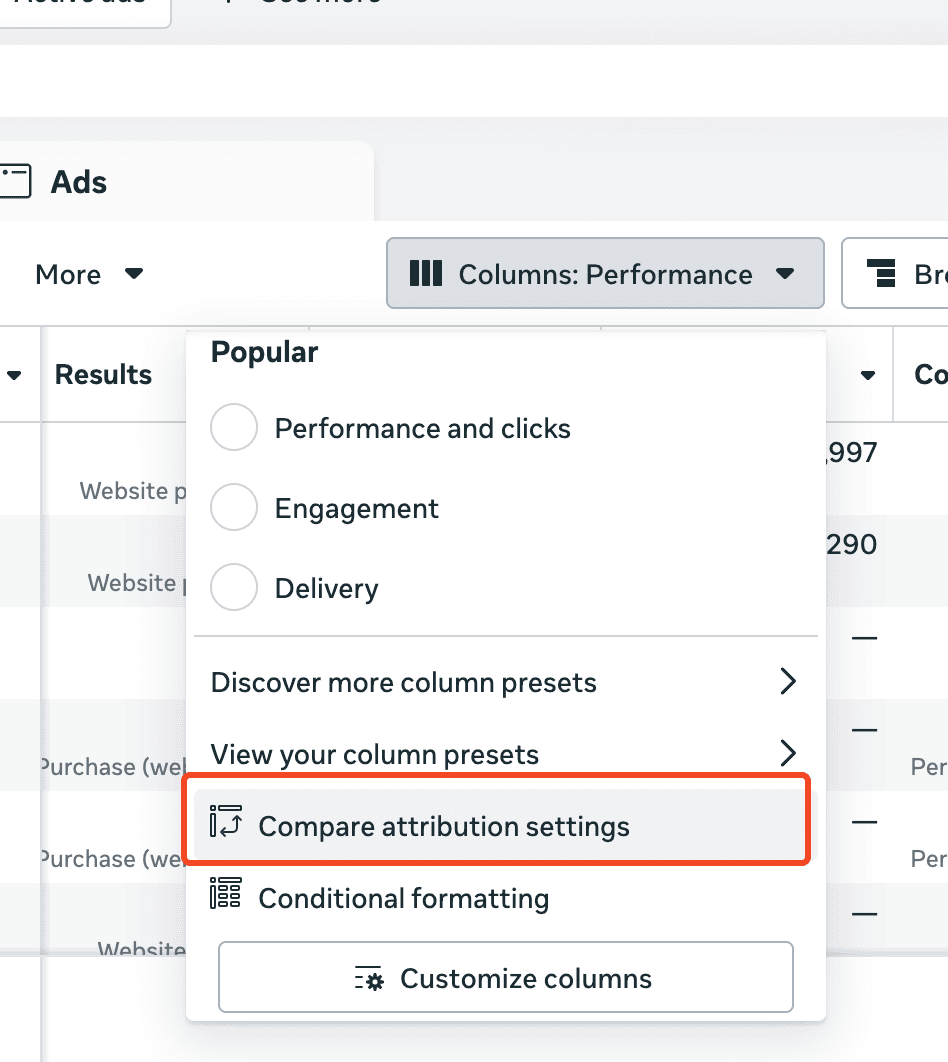
I recommend going into “Compare attribution settings” and toggle on 7-day click, 1-day view. This way you can check of all the purchases attributed to Meta, how many of them are coming from 7d click, how many of them are coming from 1d view.
For most of the case scenarios, default attribution model (7-day click, 1-day view) is fine, but for a few cases, I would recommend removing view-based attributions. Brands that have a big organic channel (TikTok, IG reels etc), or many manual drafted orders, or lots of organic return customers, or system-generated subscriptions/rebills.

For Subscription-based brands, what should you do?
All purchases, including subscriptions/rebills will be tracked in Meta by default. To avoid system-generated subscriptions/rebills from being attributed in Meta, Aimerce has a feature can manually remove them.
This feature will allow the following things to happen:
- Remove system-generated subscriptions/rebills (while keeping the first time subscription) from purchase event.
- Add the following custom events for you to build custom metrics:
- OTP (one-time purchase)
- Subscribe (first-time subscription)
- Renewal (renewal subscription)

Why doesn’t your Meta DPA (Dynamic Product Ads) work (Catalog Match Rate)?
- A small retargeting audience just don’t work.
You will have to have a decent amount of traffic and ideally multiple SKUs to make the most out of DPA.
- Catalog Match Rate is not good enough.
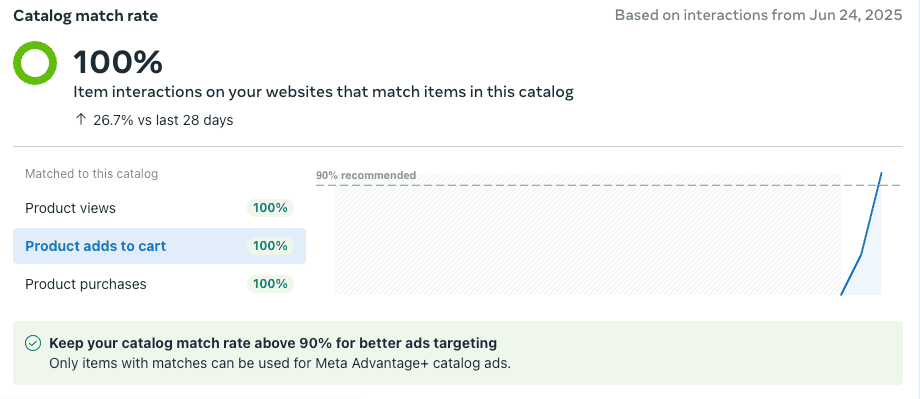
You should go into Commerce Manager → Catalog → Events and check Catalog Match Rate.
Basically the idea is that we track all the product ID from your Shopify site and Facebook use that ID from events to match your catalog in Commerce Manager.

If some of products are not matching, click on “How to Fix”, then find out which product IDs and look into your catalog to see why.
If it doesn't match, either the ID from Shopify site is wrong or the catalog in Commerce Manager is wrong. One or the other.

I recently fixed the issues for one of the clients. What’s happening to them is that there are 2 systems of IDs: product ID (which is group ID) and variant ID. Often people get them mixed up by accident, for example, Facebook is using Variant ID and Shopify is using Product ID, or vice versa.
One of the ways to unify them is to start only using product ID or variant ID in both events and catalog. For this specific brand, we decided to only use variant ID everywhere by modifying the events content ID.
That fixed it.