Today you'll learn how to create an Email Campaign Calendar for BFCM.
This works for small startups as well as established 9-figure brands (yes, I've done both).
So open your notes app and let's go!
Goal:
At the end of this, you should have a clear overview over you campaigns and know exactly:
- When you'll be sending
- Who you'll be sending to
- Which channels you'll be using to promote BFCM
- What you'll offer your customers
- I'll add free Canva templates for you to use as well as a few links to design inspo.
Here's the Step-By-Step Instruction to follow along:
- Step 1 - Define your starting point
- Step 2 - Choose your strategy
- Step 3 - Technical Setup
- Step 4 - Design and write content
Step 1 Define your starting point
No matter how big or small your BFCM will be, you'll always need to answer the following questions:
- Which days are relevant for your campaign?
- November: 25, 27, 28, 29 & 30th
- December: 1st, 2nd, 3rd
- How many channels are you planning to use?
- SMS
- Postcards
- Push
- Which offers do you want to promote?
- Tiered Discount (% or $) 10% off on orders $50+, 20% off on orders $80+
- Normal Discount (% or $) (Sitewide, Collection or Product specific)
- Free Product + Shipping (good for expiring products & those with high margins)
- Free Add-ons // Free Shipping, Free Gift, Buy-one-get-one-free
- Bundles // Get 50% off on 3
- Loyalty Point Bonus (e.g. 2x Points)
- Do you have different customer groups? If yes, list them out.
- Newsletter Subscribers
- Purchased, not subscribed
- Subscribed, not purchased
- Purchased long ago
- VIPs
- Loyalty Program members
Once you've answered this for yourself, you can go ahead and select a strategy.
Step 2 Choose your strategy
Now, there are a LOT of different strategies out there that people use but for us, there are really only 3 that we're working with:
-
Classic Sale
Teaser - VIP & Loyalty Early Access - Launch - Reminder - Extension
Works for: Every brand.
-
Flash Sales
New offers every day
Works for: Brands with products that are difficult to sell. Allows for more offer angles.
-
Pre & Post Sale
4 sales, big before and after BFCM + smaller ones on BF and CM.
Works for: Smaller brands that can't compete with competitors.
Note: Yes, these can also be combined.
We use the flash sales when we're not sure which offers will work best because then we can easily switch through different angles. Everyone who buys with discounts will buy with a discount and everyone who loves bundles will buy the bundles.
Example:
Day 1 - 50% off // 40% will buy. 60% prefer a different offer.
Day 2 - Get 4 for the price of 2 // 20% will buy. 40% prefer a different offer.
Day 3 - Get $20 off on orders $100+, $50 off on orders $200+ // 20% will buy.
and so on.
We use the Pre & Post Sale strategy when we're working with smaller brands who can't compete as confidently as others. That means we're trying to avoid the noisy time by going on sale when no one else is. This gives us a competitive advantage because the customers are not as distracted as they are on the 'big days'.
Step 3 - Technical Setup
Now that you've chosen your strategy, you need to make sure that the technical setup is working.
1. Create Segments
There are usually 4 types of segments:
- Inclusive (People that we want to send to)
- Exclusive (People that we want to avoid sending to)
- List Cleaning (People that we want to remove from our list forever)
- Reporting (Segments that give us an overview of our business)
For the campaign calendar, you only need Inclusive and Exclusive segments.
Depending on the audience you defined earlier, you'll want to create segments around that.
Inclusive
- Newsletter Subscribers
- Purchased, not subscribed
- Subscribed, not purchased
- Purchased long ago
- VIPs
- Loyalty Program members
Note: Everyone defines segments differently and these are just my personal best practices. We've helped well over 500 brands since 2019 so they work. However, you're more then welcome to edit these for yourself of course.
Examples:
Inclusive Segments
- Active Engaged Profiles
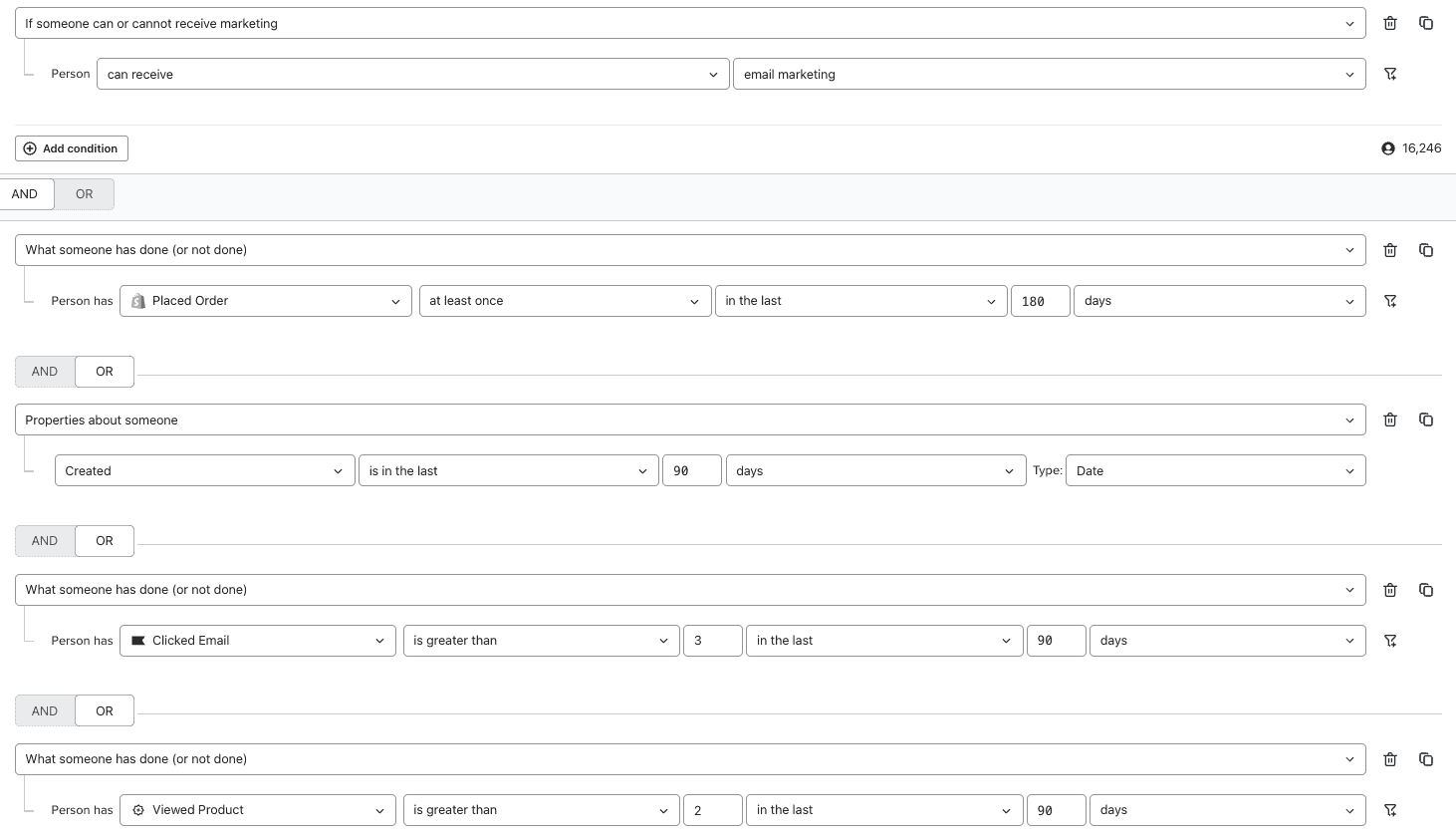
- Future VIPs
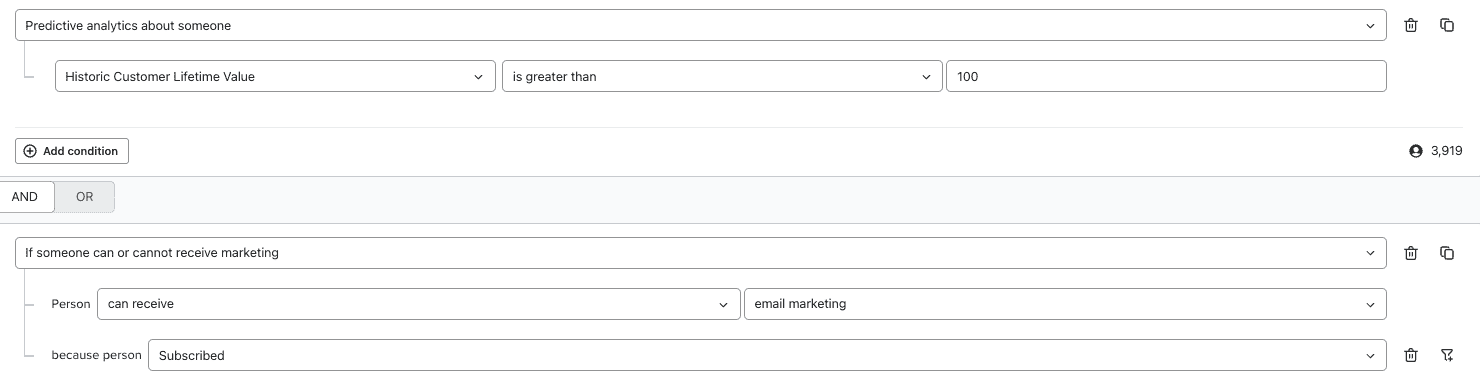
- 90 days engaged (ex. privacy opens)
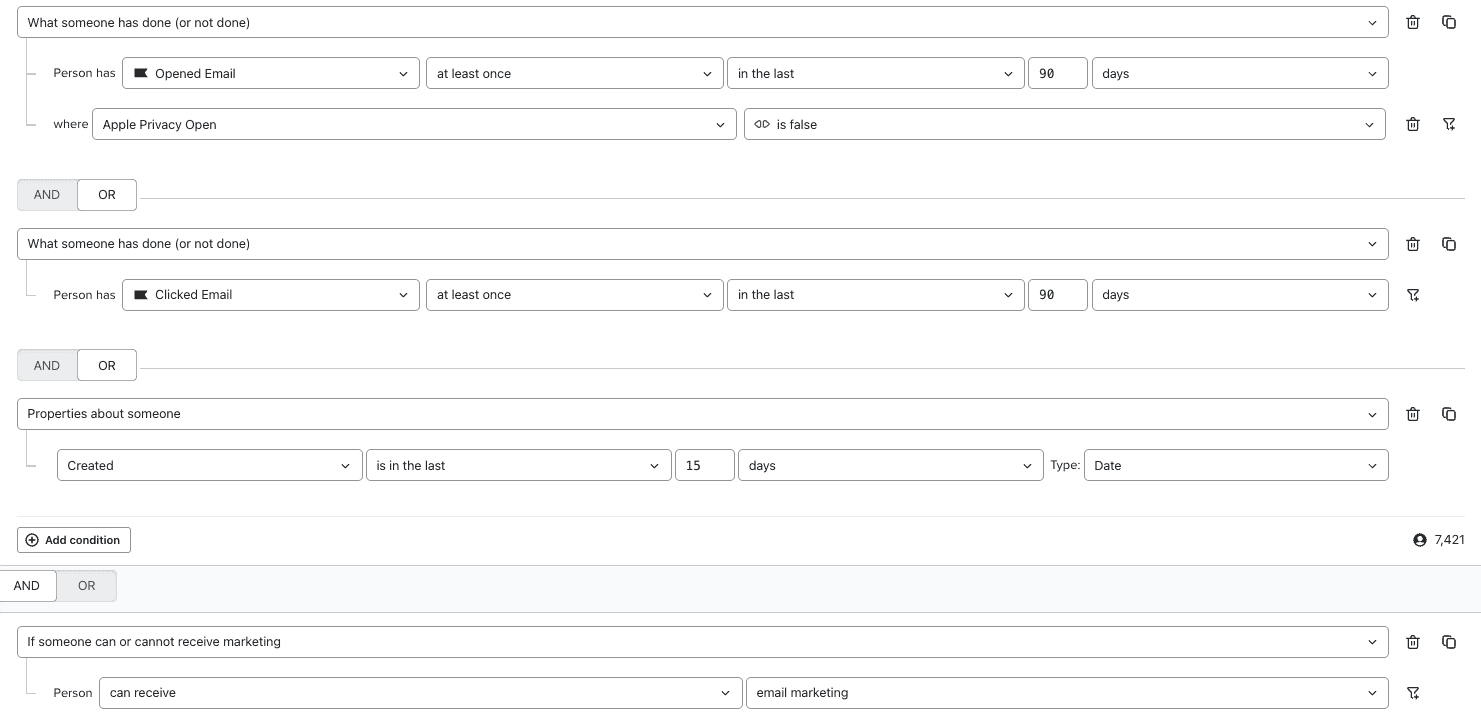
Exclusive Segments
- Bounced Emails
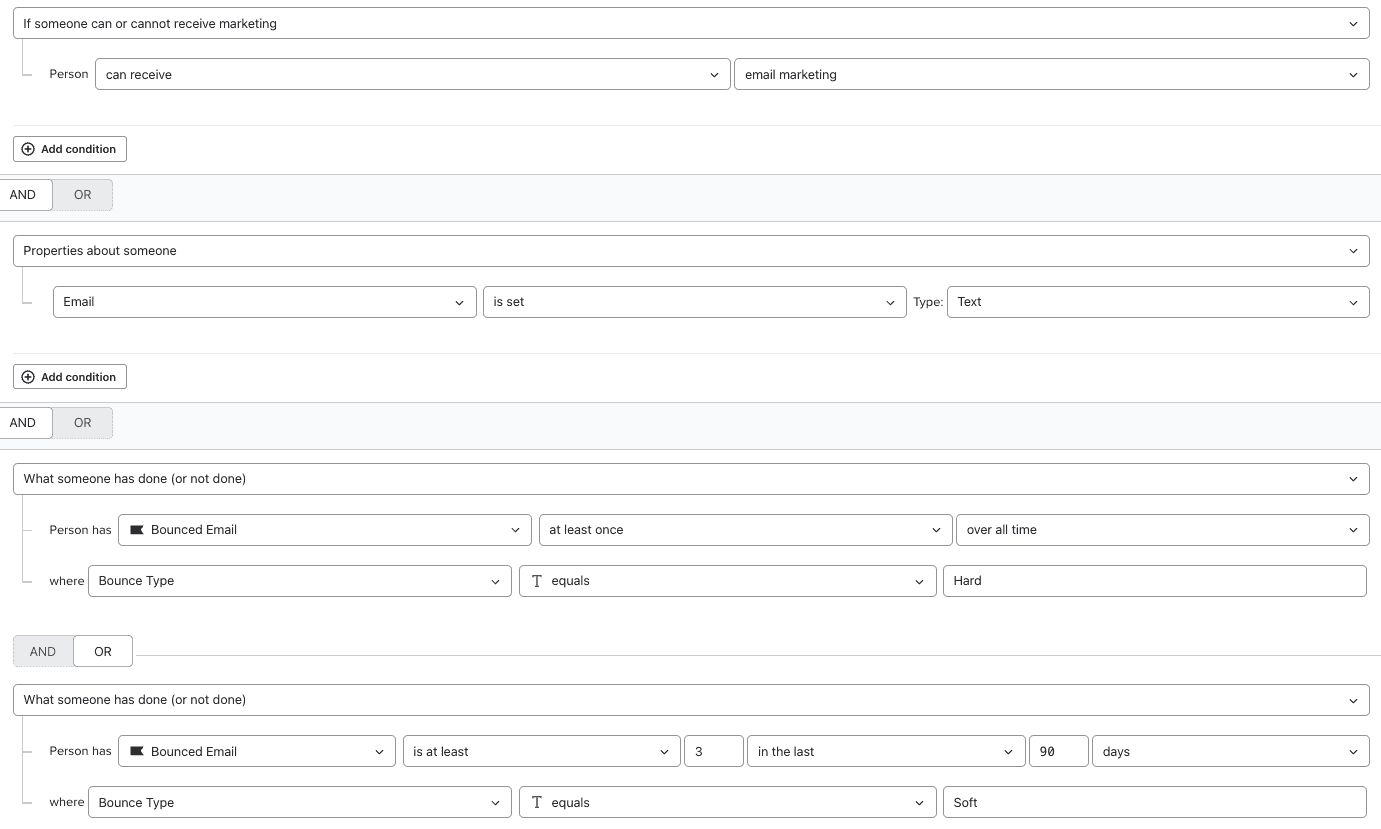
- [For DSGVO] Can receive email marketing because person never subscribed

Check your settings
Specifically for BFCM, we usually turn a few things on and off:
- Smart Sending should be turned off in every campaign (and flows as well)
- UTM parameters need to be turned on
Step 4 - Design and write content
Last but not least, you'll have to write the copy and design your emails and other messages.
I'll just give you a few design examples here so that you can design after them.
💡Note: If you're struggling with creating Email Designs, I built a free asset with Canva templates here: Create A Master Template
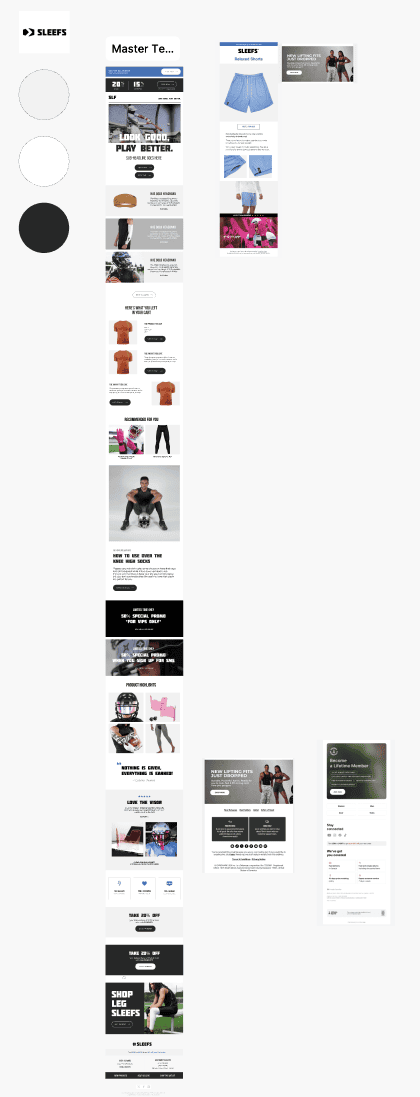
Design 1 - Tiered Discount, Bundles & Urgency

Design 2 - GIF
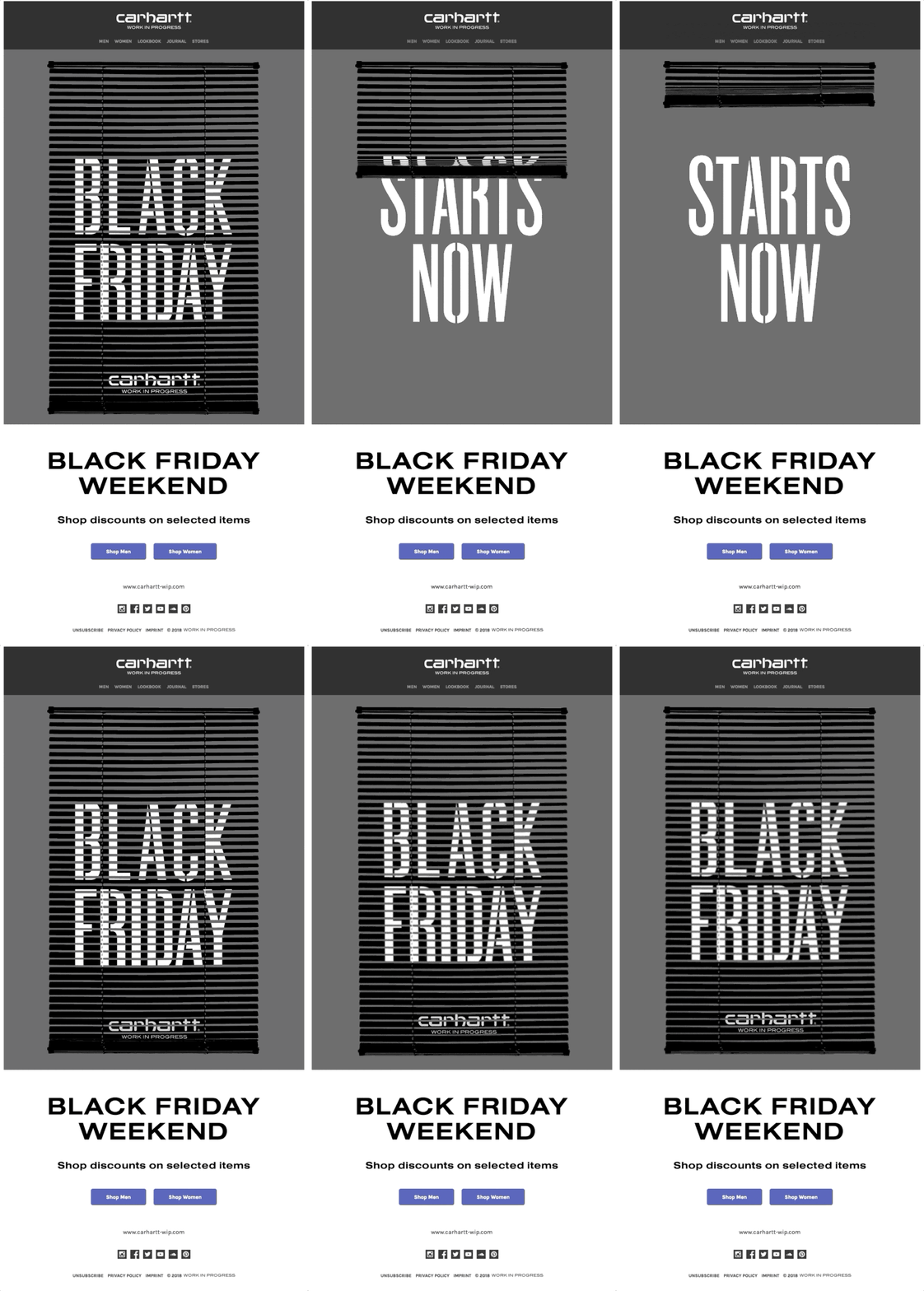
Design 3 - Subscription Discount + USPs

Design 4 - Teaser with date & details
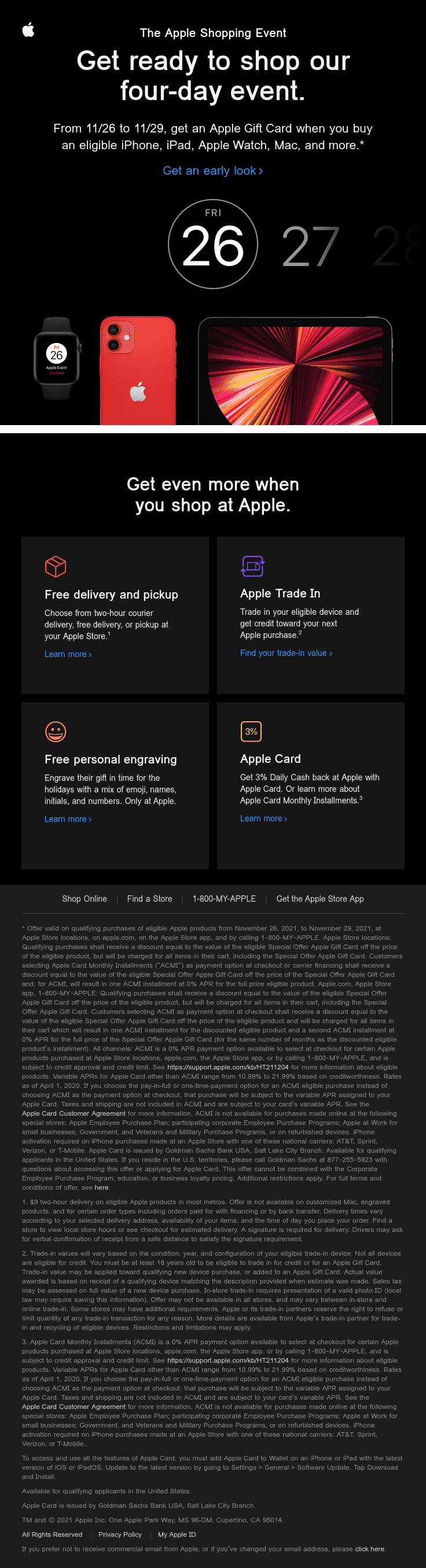
Design 5 - USP + Discount
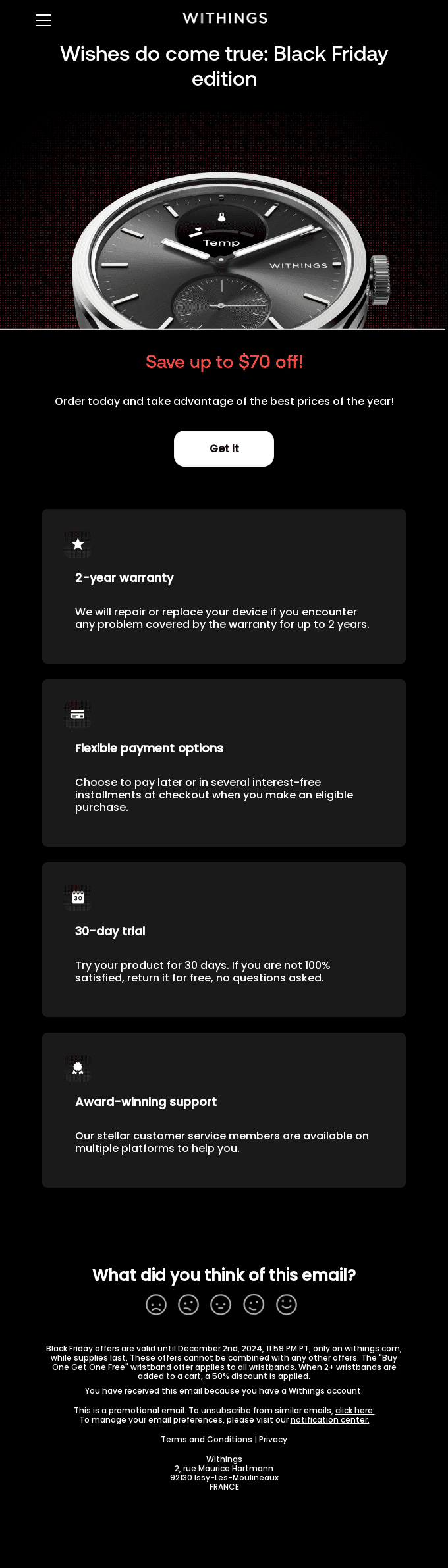
Sites for inspo
reallygoodemails.com/search/emails/black%20friday
For more strategic inspo, here are some of my favorite articles from other brands as well:
- Top 5 Black Friday Email Campaigns and Winning Strategies
- 38 Slightly Different Black Friday Email Examples
- 11 digital BFCM tactics we already know customers love
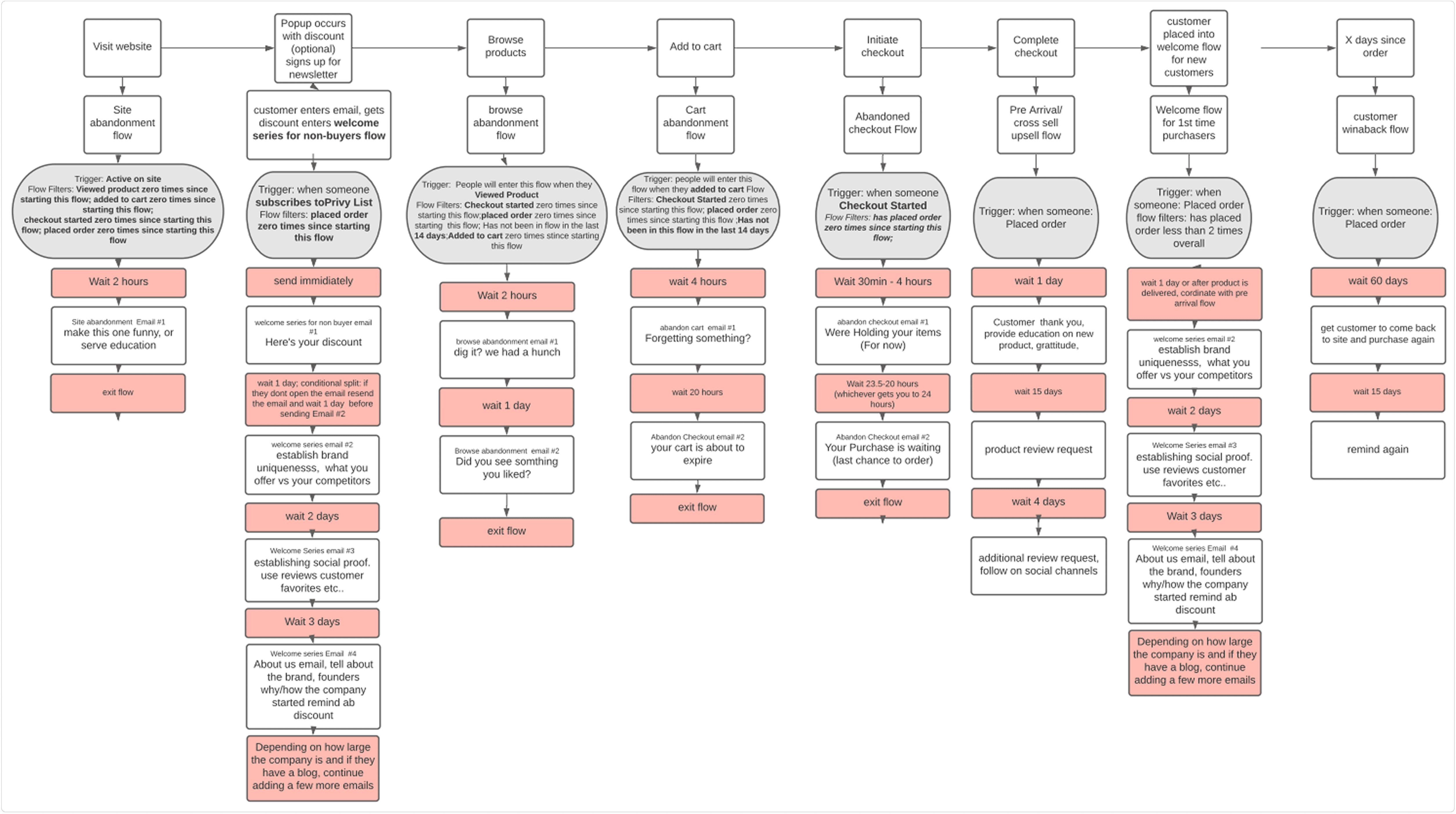
Next Up: Must-Have Klaviyo Flows
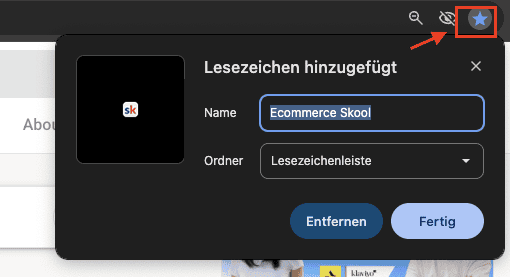
There will be a full asset about Must-Have Flows next week here in Skool so make sure that you're pinning this group to your navigation bar in Chrome. (Click the star at the top right)
🏁 Once you're done with this session, make sure to tick the little box at the top right of this page. It will mark this as done and if I see that you marked all sessions as green/done (yes, I can see that) I'll send you a gift :)