Aimerce Blogs
How to setup Pinterest Ads Tracking
20 August 2025
How to setup Pinterest Ads Tracking
Why Aimerce

Pinterest is gaining traction as a popular platform for brands, but many marketers still don't have the tracking they need. That’s about to change! 🎉
How to connect your Pinterest Conversion Tracking to Aimerce
Step 1: Navigate to Pinterest Conversion Tracking Setup in Aimerce
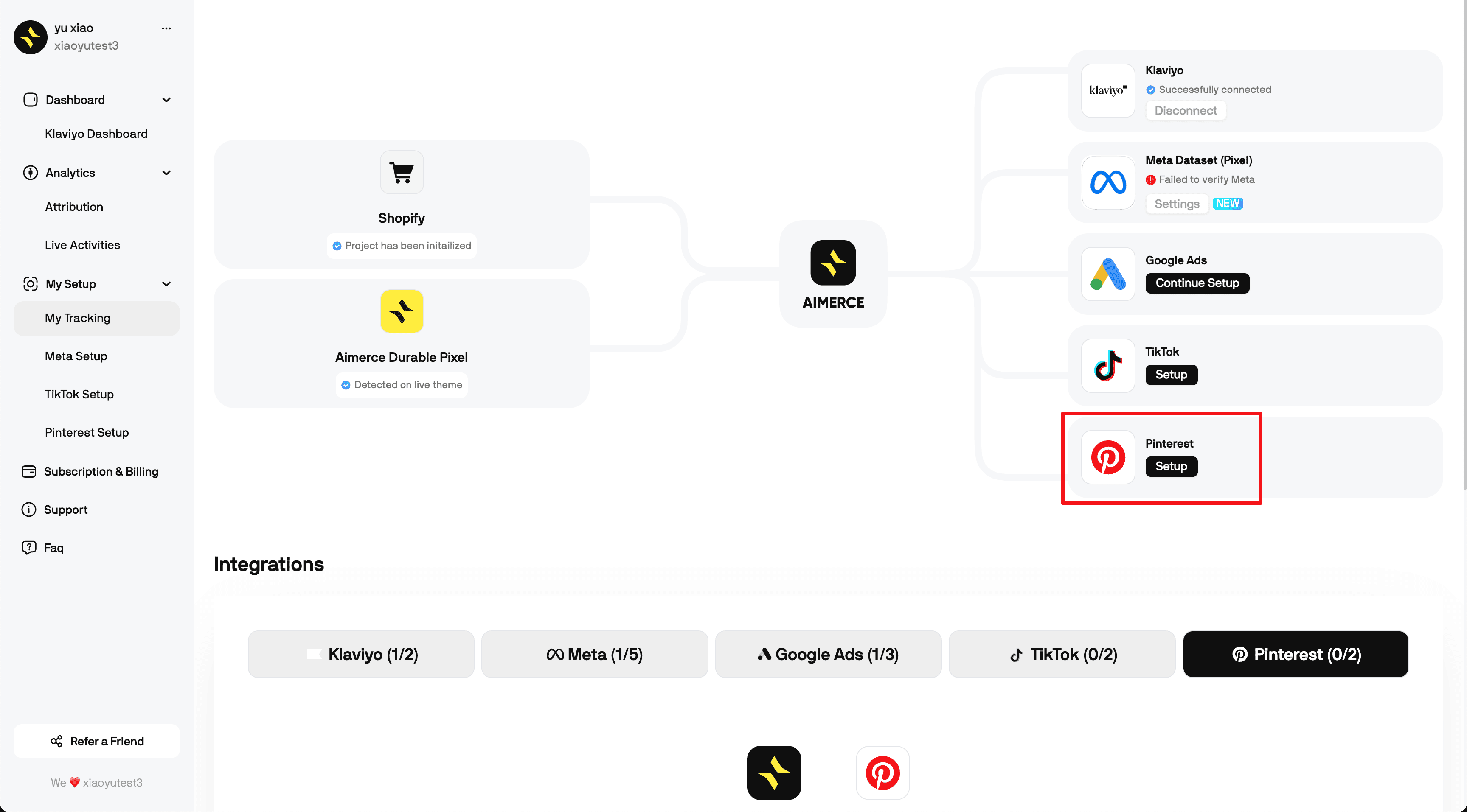
You can see what we required are Pinterest Ad Account ID and Pinterest Access Token
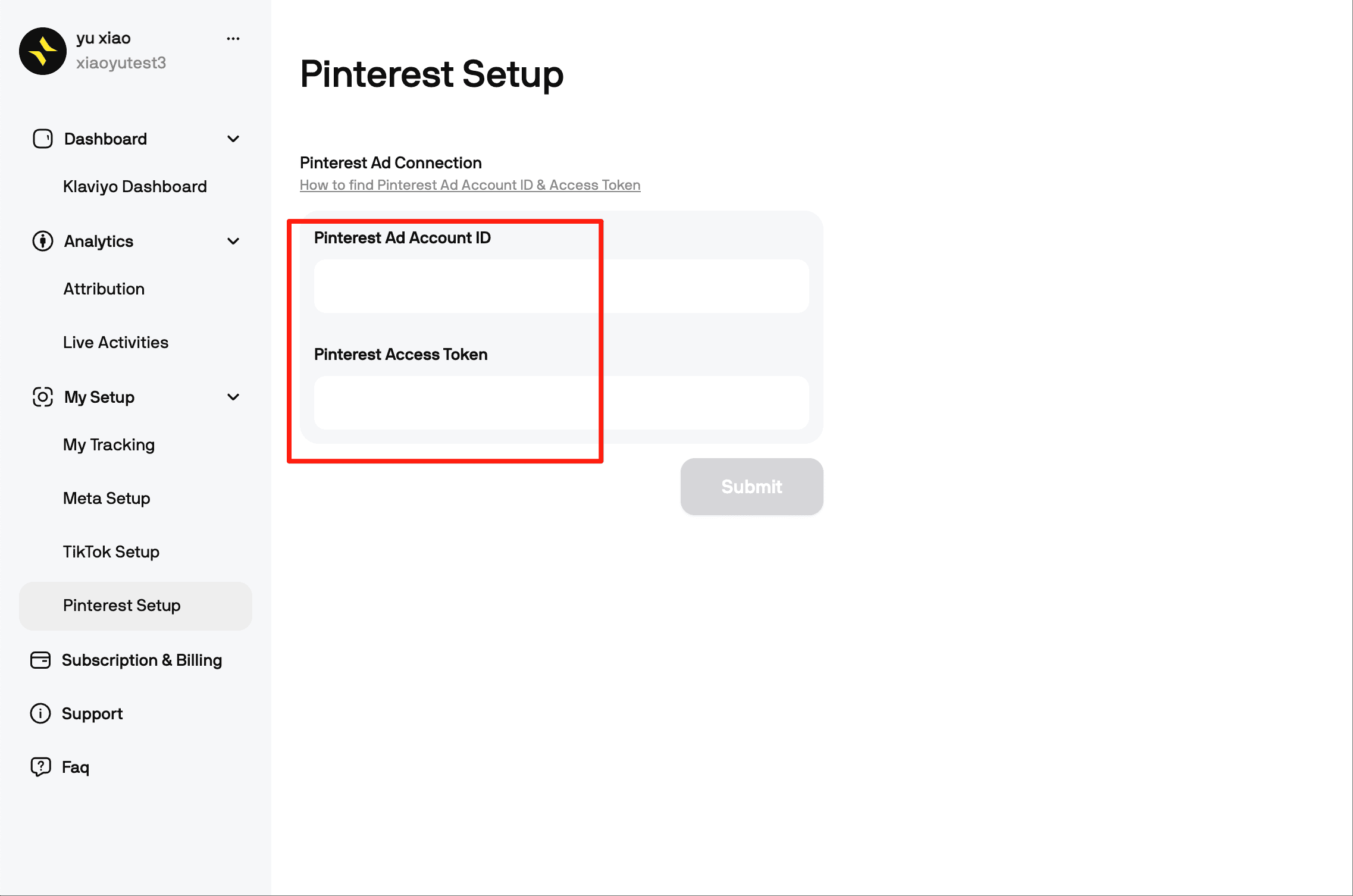
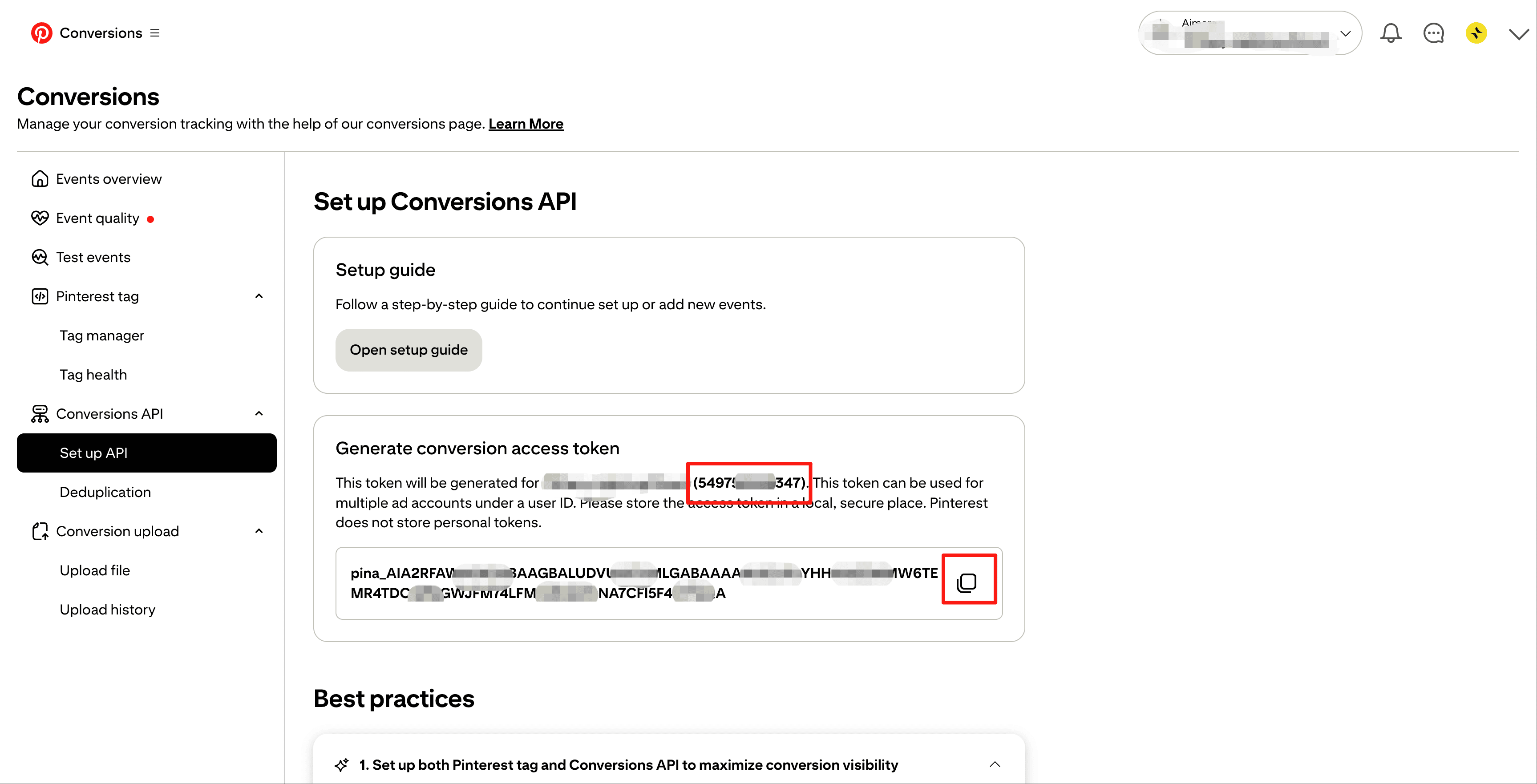
Step 2: Get Your Pinterest Ad Account ID and Access Token
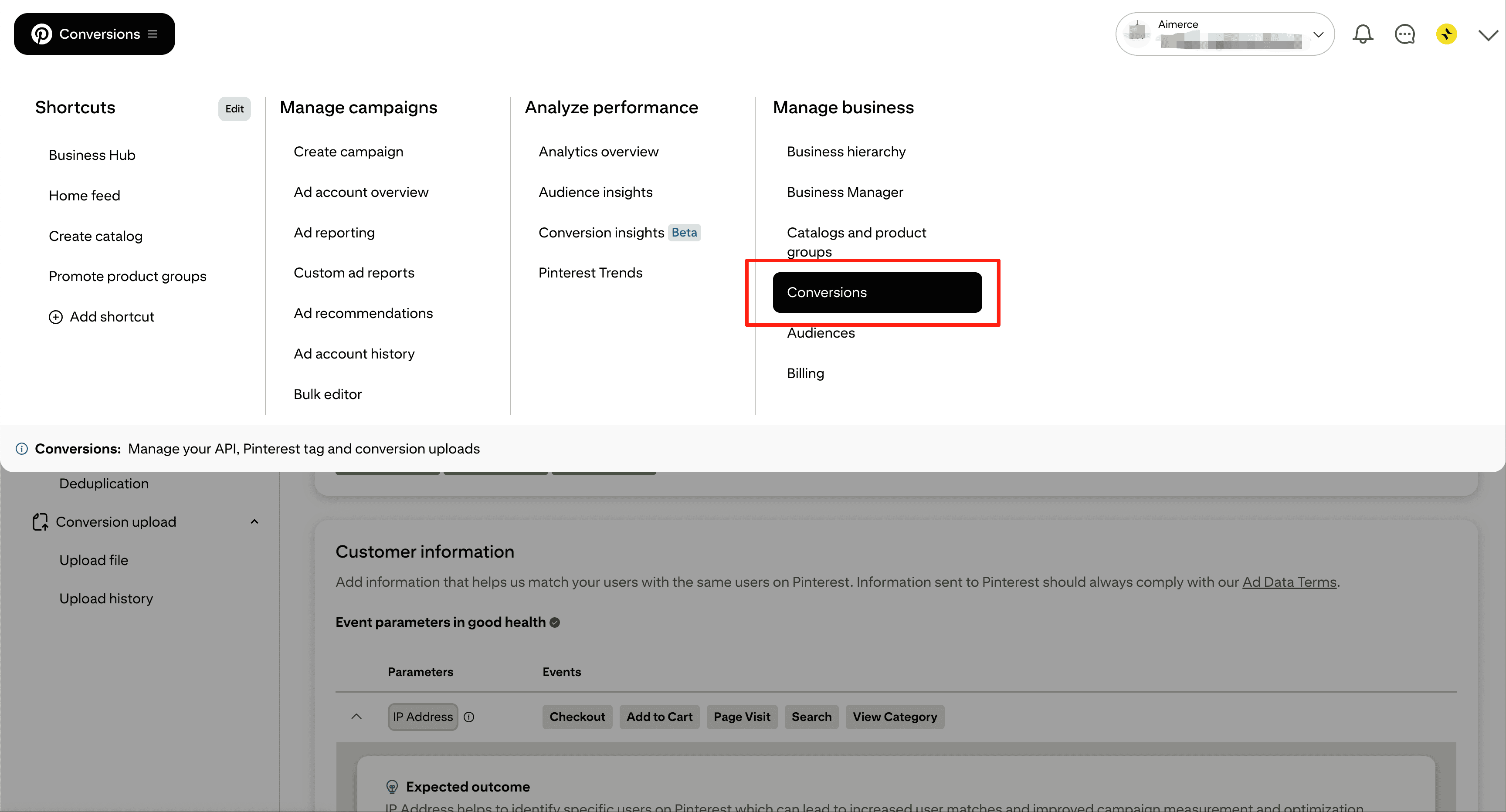
- Log in to Pinterest Ads
- Go to Manage business -> Conversions
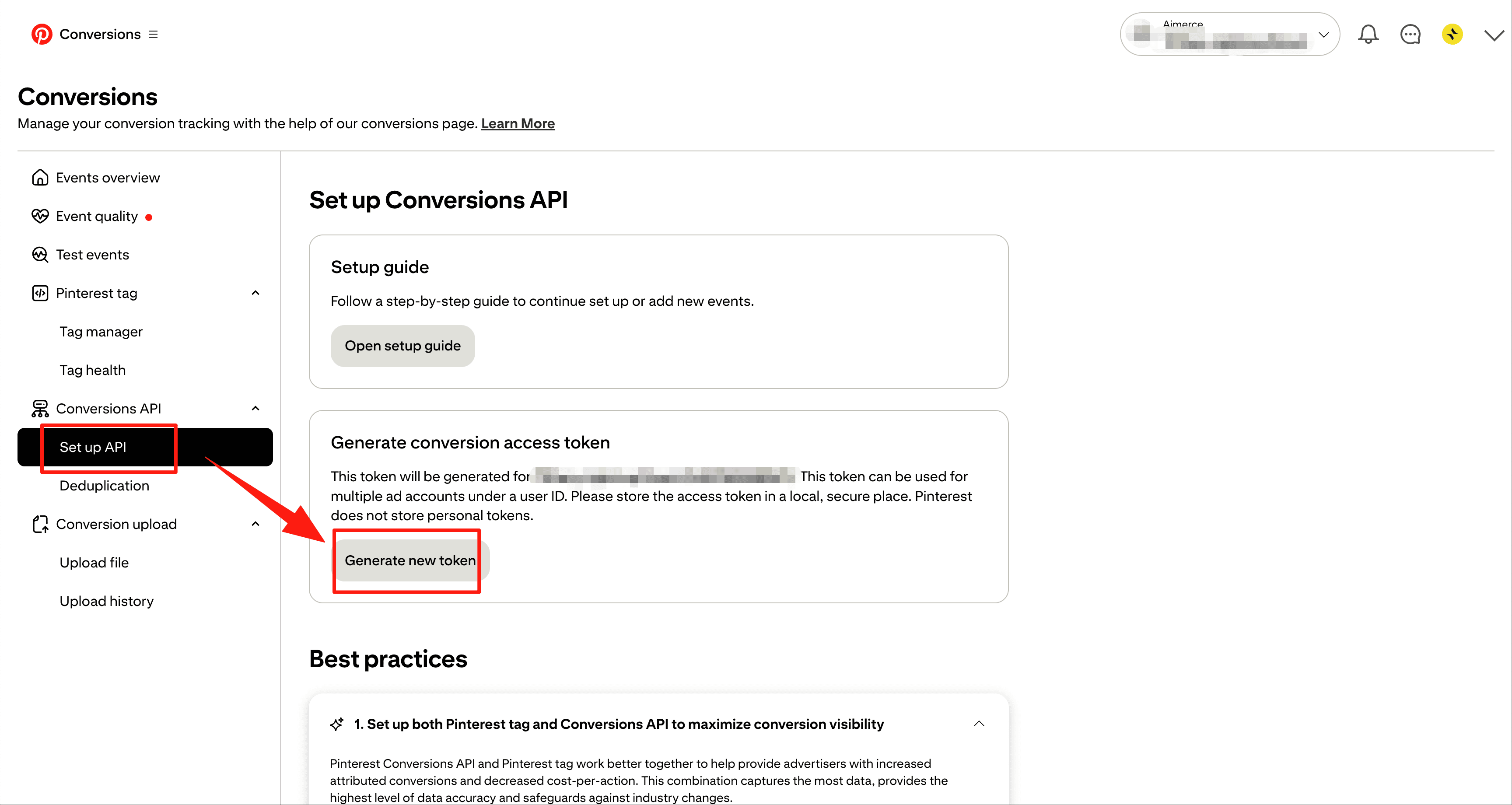
- Click Set up API in left menu
- Click Generate new token
Step3: Copy to Aimerce Dashboard
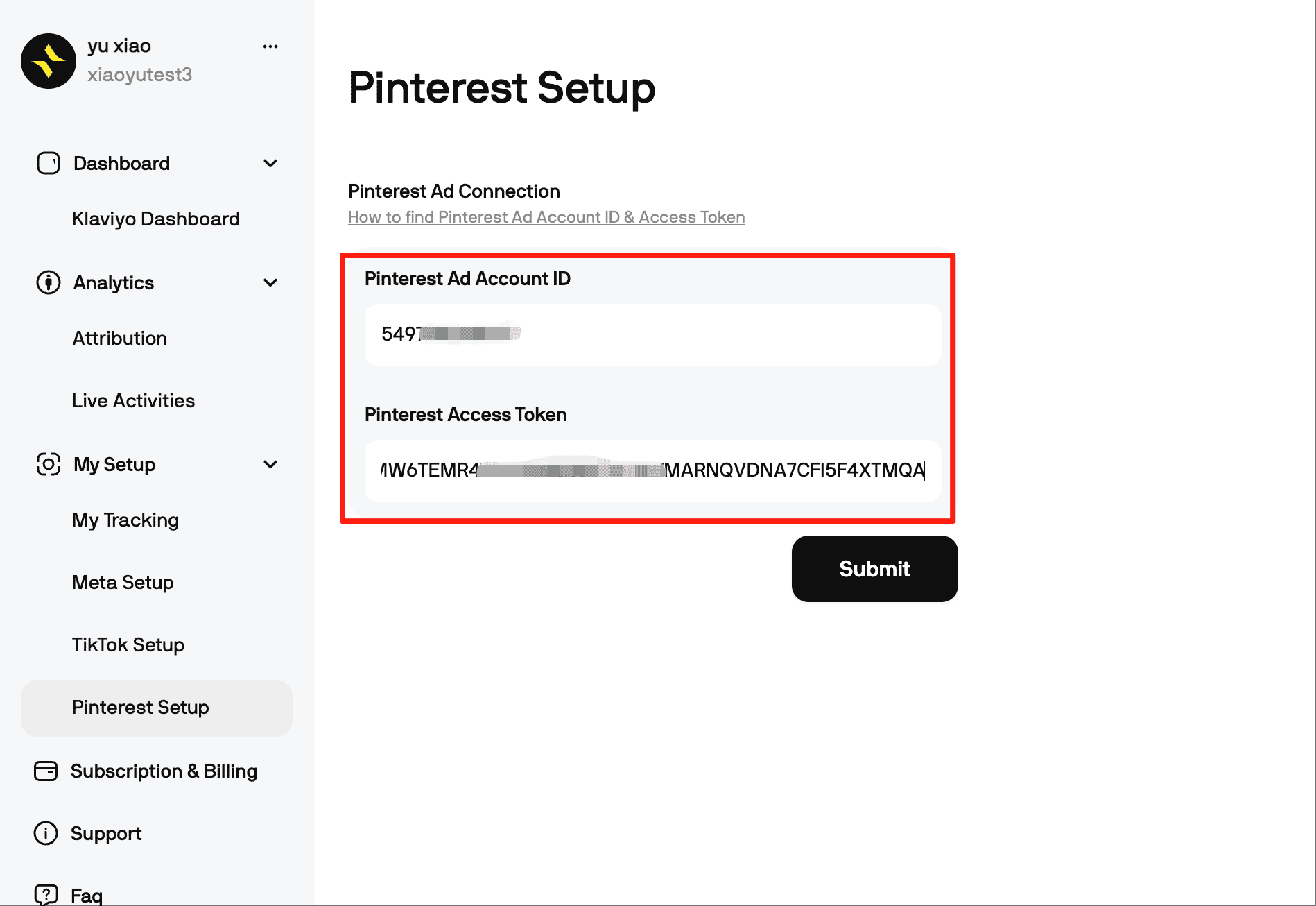
Once submit successfully, Pinterest will start receiving server side events instantly.
And there you have it! You're all set!
If you're expanding on Pinterest but your data isn't aligned, now is the perfect time to tidy it up. The setup is up and running and takes less than five minutes!
Index
Aimerce Pixel
Server-side tracking and accurate first-party data to increase marketing performance.
5/5
Shopify
5/5
G2
More Articles
First-Party Data 101, Why Aimerce
Deciding Which Server Side Tracking Is Right For You
It seems like a black box solution, but it is not. Let's clear this up once and for all.
12 February 2025
BFCM, Meta Ads
The Ultimate 2025 BFCM Early Launch Strategy
The Phased Offer Strategy (Don’t Running One Offer for 14 Days)
10 November 2025
eCommerce Marketing
Top 3 Channels for Top-of-Funnel DTC Marketing This Holiday Season
The holiday season is approaching, and DTC brands are gearing up for their biggest quarter. But with rising customer acquisition costs and evolving market dynamics, where should you focus your top-of-funnel marketing efforts? Let's dive into the three most effective channels and how to leverage them for maximum impact this holiday season.
4 November 2024
Sign up for a 30-day free trial
Sign Up Using Your Shopify Account Email
*Money back guaranteed.
It pays for itself or you don’t pay anything.